

Join 1,000s of professionals who are building real-world skills for better forecasts with Microsoft Excel.
Issue #50 - Forecasting with ARIMA Part 5:
Measuring Model Accuracy
This Week’s Tutorial
Forecasts are used to make some of the most significant decisions within organizations. Often, these decisions involve many millions of dollars of spending:
Should we build a new factory?
Should we open new stores?
Should we cut budgets?
The list goes on and on.
The last thing you want to do is base critical decisions on an inaccurate forecast.
In this week's tutorial, you will learn about two simple (but powerful) measures for assessing the accuracy (i.e., quality) of your forecasting models.
If you would like to follow along with today's tutorial (highly recommended), you will need to download the SalesTimeSeries.xlsx file from the newsletter's GitHub repository.
A Simple Baseline Model
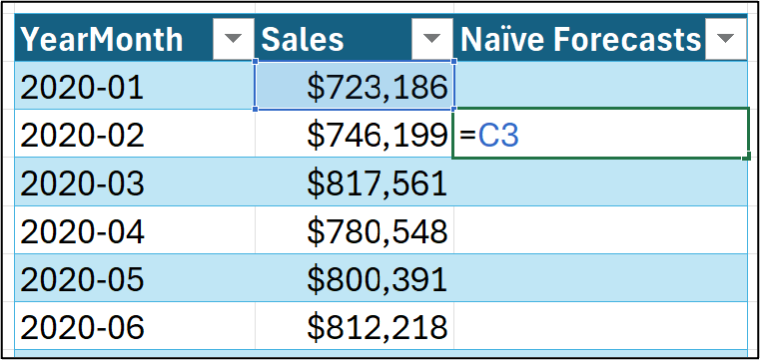
As covered in the last tutorial, I'm going to use a naive forecasting model to provide the baseline forecasts for the rest of this tutorial series.
Here's how to calculate the forecasts using the Sales table from the tutorial's Excel workbook:
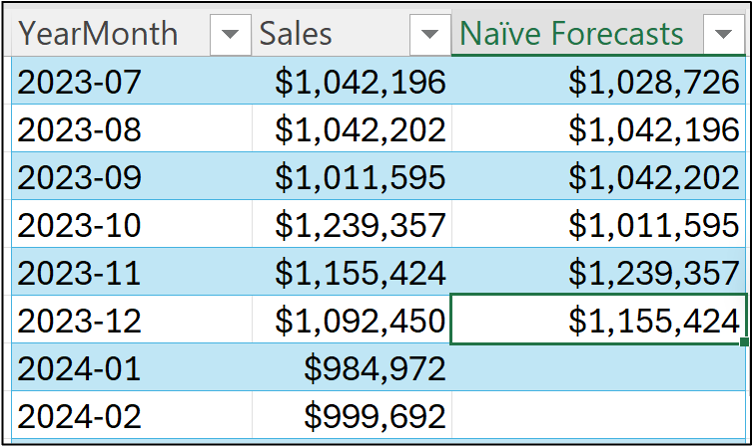
And dragging the formula through December 2023 (i.e., the training dataset):
As covered in Part 4 of this tutorial series, what we really care about is crafting ARIMA forecasting models that can accurately predict the future.
Since we don't have time machines (as far as I know), we have to simulate the future using a test dataset. I will be using the data from 2024 as the test dataset in this tutorial series.
Here are the forecasts for the test dataset (I'm showing both the formula for the forecasts and the fact that the formula has been dragged down the table):
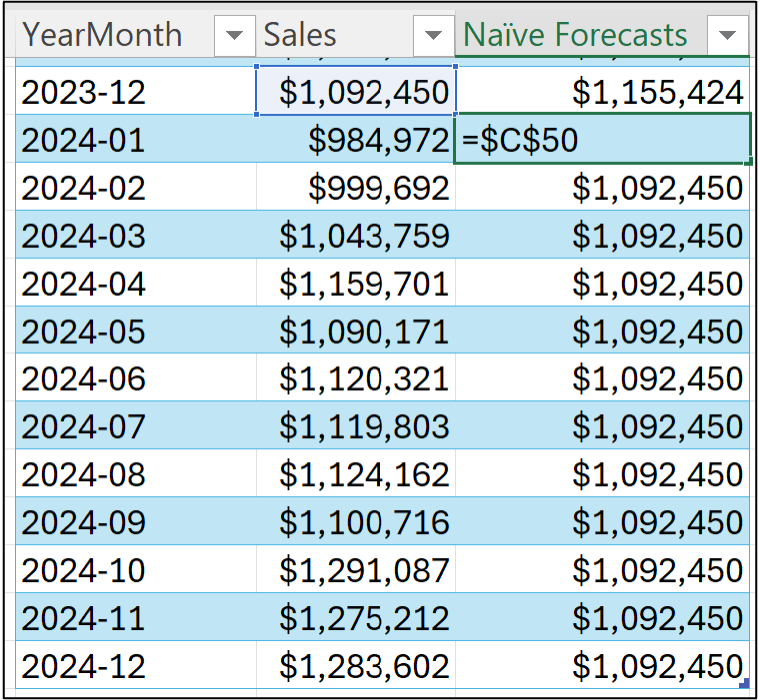
I'm going to use the above test dataset forecasts in the accuracy measure calculations in this tutorial.
Your Model’s Bias
When considering the accuracy of a forecasting model, here's a fundamental question that needs to be answered:
"Are the forecasts typically too high or too low?"
This question goes to what is called the bias of the model, and there is a calculation that can tell you how biased your model is, on average.
Not surprisingly, the first thing you need to assess the bias of a forecast model is the forecast errors.
BTW - Other terms for the error are residual and noise.
Despite what term you use, calculating errors is simple. You subtract the target from the forecast:

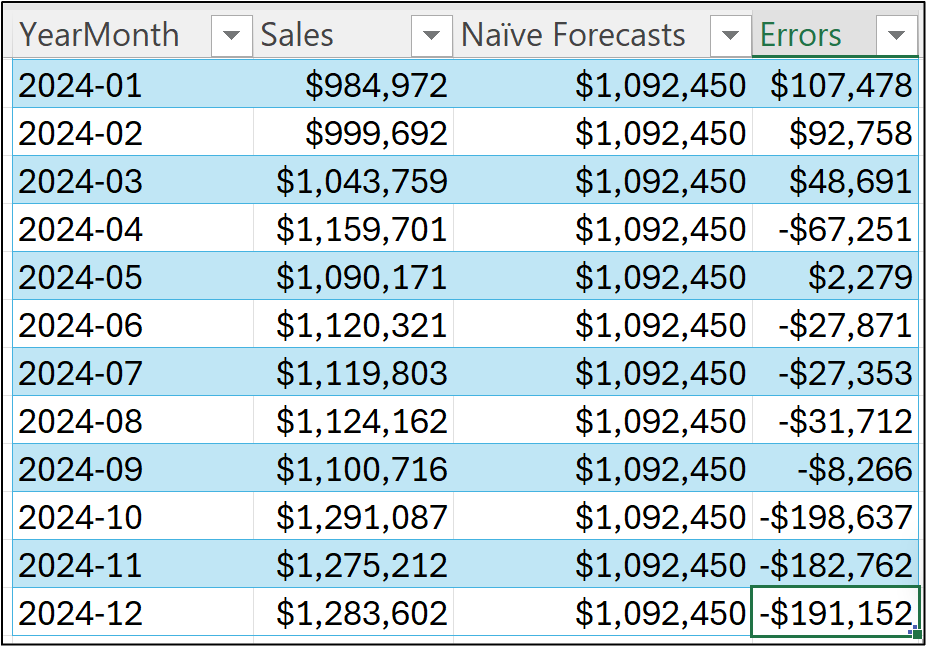
And dragging the error formula down the length of the table:
As you can see in the image above, the forecasts are both too high (e.g., an error of $48,691 for March 2024) and too low (e.g., -$191,152 in December 2024).
While you can examine/analyze the individual error values, the bias calculation aims at providing a key performance indicator (KPI) for a forecast model's predictive performance.
Intuitively, the bias KPI is just the average error:
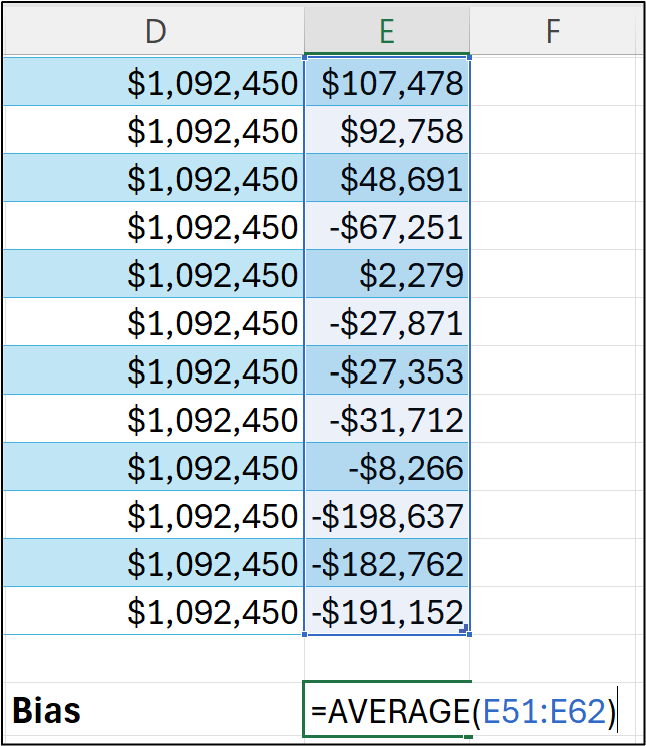
Think of the calculation in cell E64 of the Sales worksheet as combining all the test dataset forecasts and telling you, on average, if the test forecasts are too low or too high:
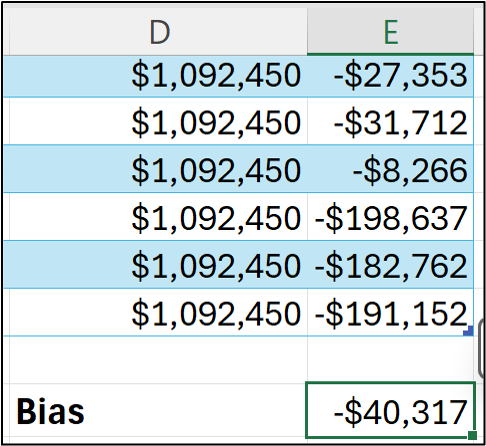
The bias calculation shows that the naive forecasting model tends to make forecasts that are, on average, too low.
Unfortunately, the value of -$40,317 isn't super informative by itself.
For example, -$40,317 doesn't tell you if the bias is very large compared to the targets in your time series.
What can be more informative is calculating the bias percentage (what is often called the scaled bias):
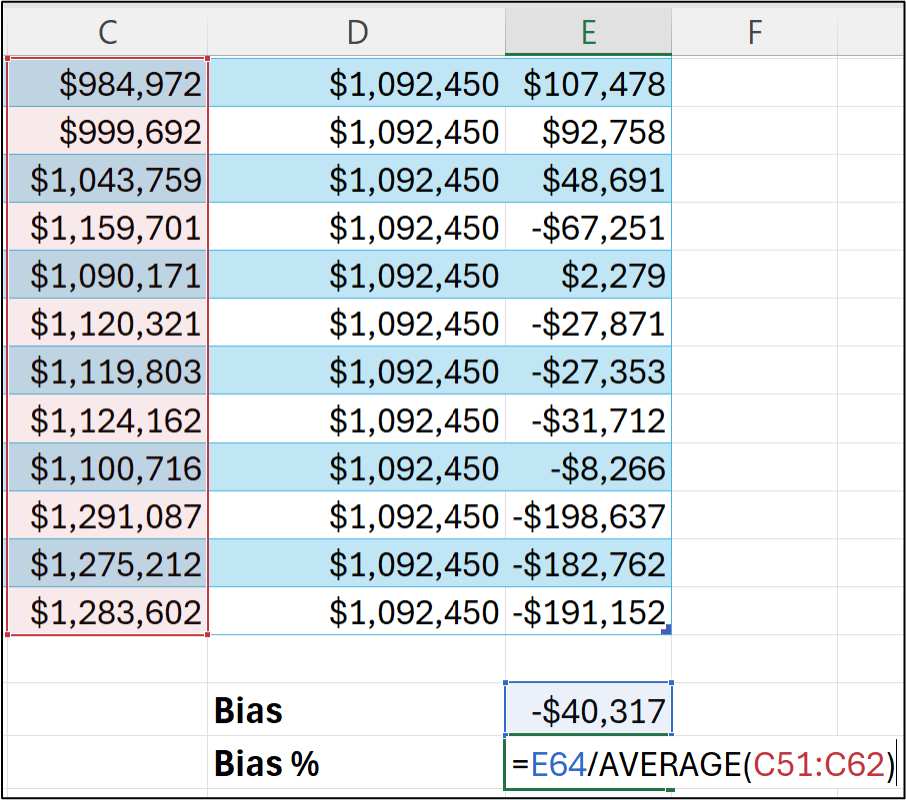
Here's what's going on in the bias % calculation - the average error is being divided by the average value of all the targets.
Here's the bias % for the naive forecasting model:
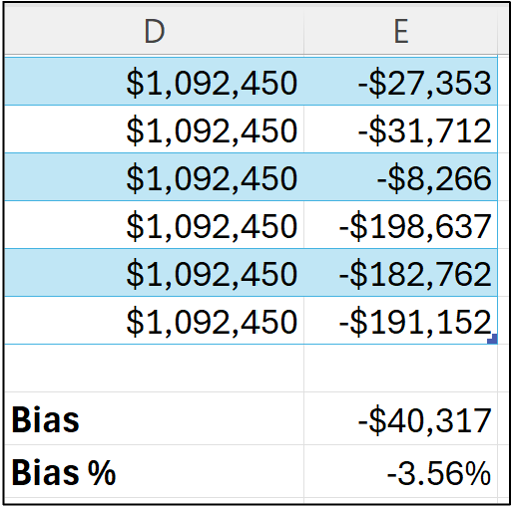
The bias % provides a better insight into how a model's bias relates to the magnitude of the targets being forecasted.
In this case, the naive model test dataset forecasts are, on average, 3.56% too low.
Since the bias % is calculated only for test dataset forecasts, it represents an estimate of how well the model will perform in the future.
All things being equal, we would expect a naive forecasting model to make predictions that are at least 3.56% too low (BTW - they would likely be off by more than this).
Your Model’s “Accuracy”
It might have occurred to you that the bias calculation doesn't really align with the idea of accuracy.
And you'd be right to think that.
By way of analogy, consider what "accuracy" means when throwing darts at a dartboard when the target is the bullseye.
In this scenario, accuracy can be measured as the distance from the bullseye to where a dart landed on the dartboard (e.g., the distance would be zero when you hit the bullseye).
When thought of this way, it doesn't matter if the dart is too high or too low relative to the bullseye. All that matters is the distance.
Using this analogy, the mean absolute error (MAE) calculation represents how far away, on average, the darts are from the bullseye.
This makes MAE a very intuitive way to assess the quality of your forecasts that is also easily understood by business stakeholders.
Here's the MAE for the naive model forecasts:
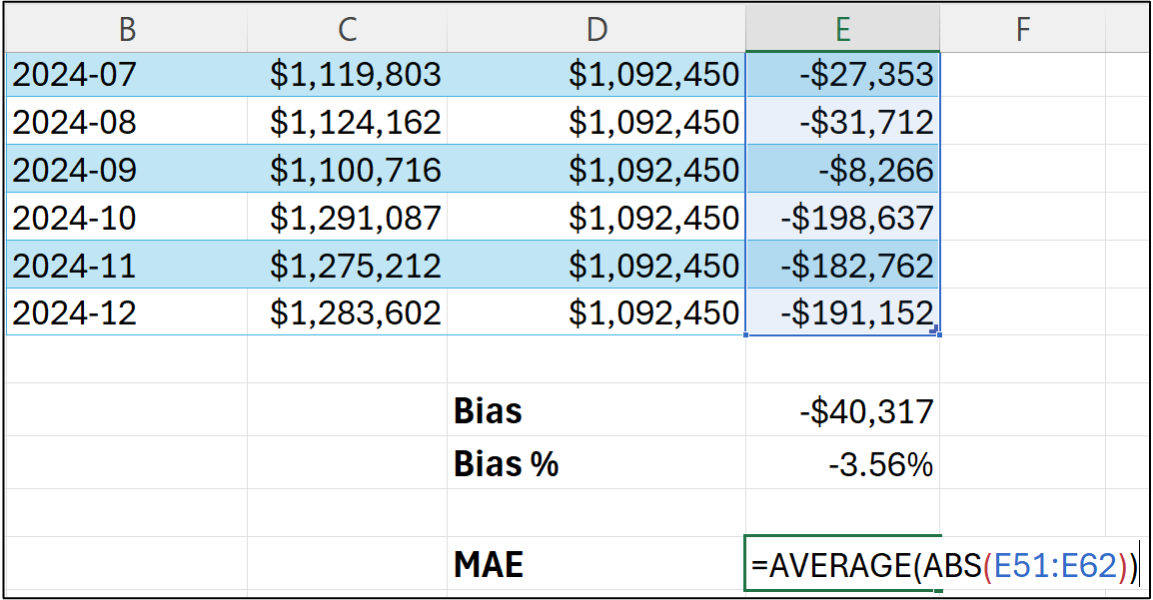
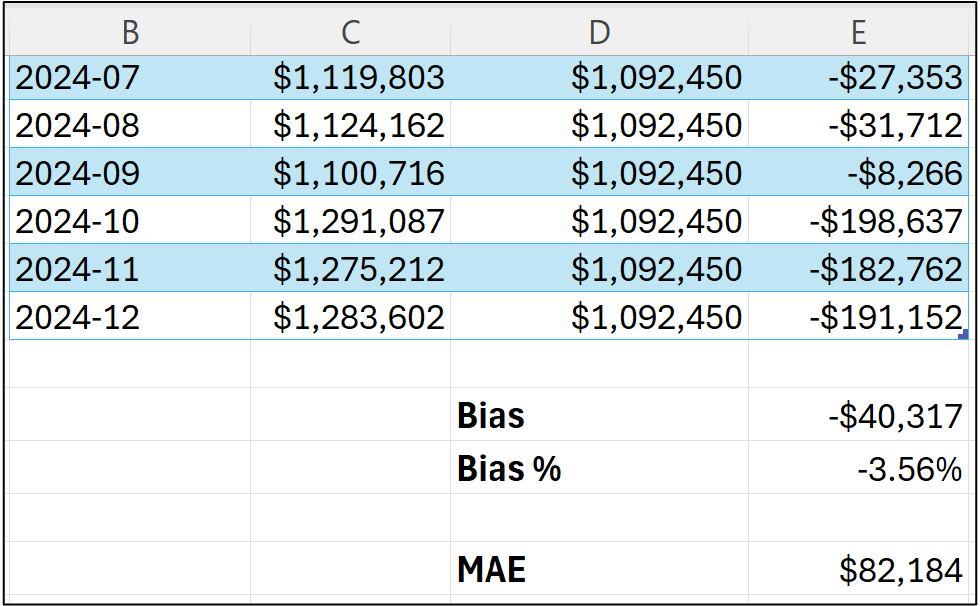
What the MAE calculation says about the naive forecasting model is that the forecasts are off by $82,184 on average.
Unlike the bias calculation, MAE can be quite informative by itself. For example, MAE can be used as a requirement for determining if a model will be useful in decision-making.
It can also be super useful to calculate the MAE % (i.e., scaled MAE):
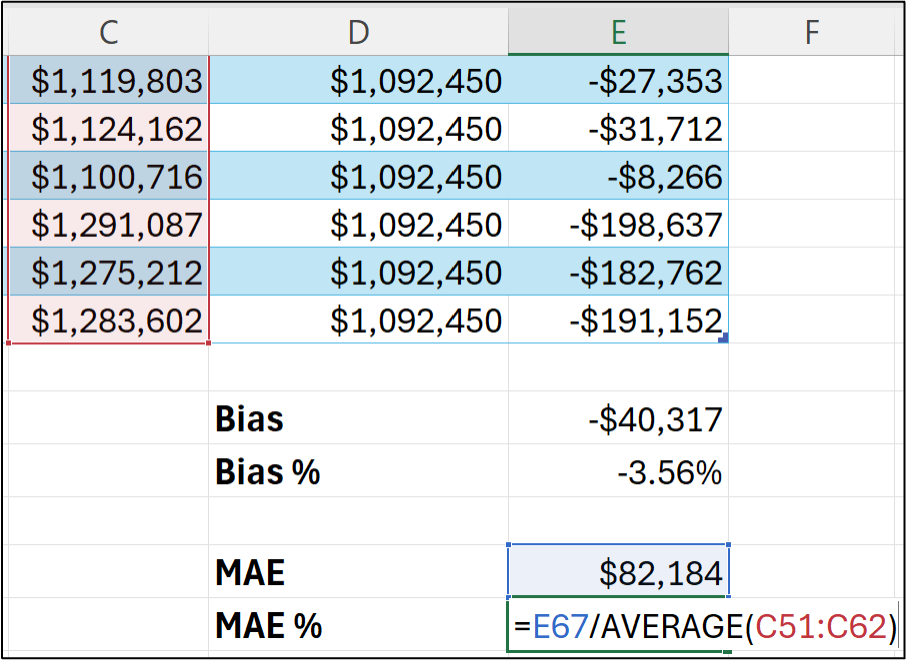
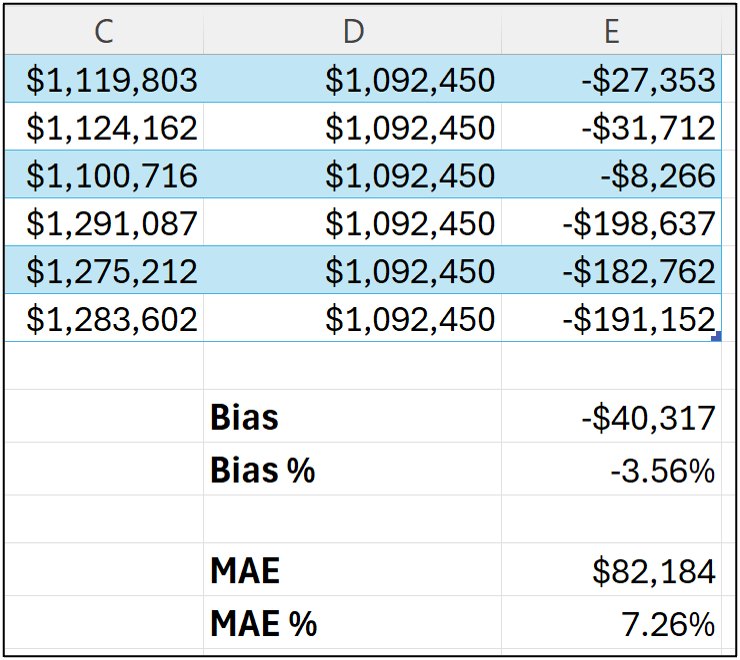
The MAE % is the average absolute error divided by the average target value and tells us that the forecasts are off by 7.26% on average.
However, MAE doesn't tell us if the forecasts are typically too high or too low.
That's what the bias tells us.
So, like chocolate and peanut butter, the combination of bias and MAE is better together when evaluating your forecasting models.
Calculating KPIs Using Python in Excel
As shown in Part 2 and Part 3 of this tutorial series, if you want to build better forecasts, Python in Excel is going to be your best friend in 2026.
(BTW - 99% of the code in this tutorial series works in any Python technology, not just Python in Excel)
As covered in Part 3, Python in Excel gives you access to ARIMA models that also support external factors (i.e., exogenous features) that allow you to craft the most accurate models possible.
So, not surprisingly, we need a way to calculate the bias and MAE KPIs using Python.
As I wrote in previous tutorials, I like to organize my Python in Excel code using a single dedicated worksheet that I typically name Python Code.
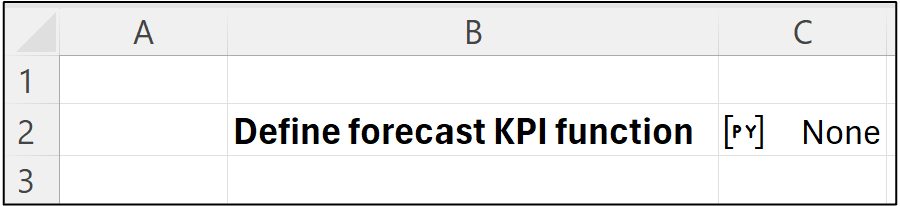
I then like to include step-by-step comments in the Python Code worksheet to document what the Python formulas are doing:
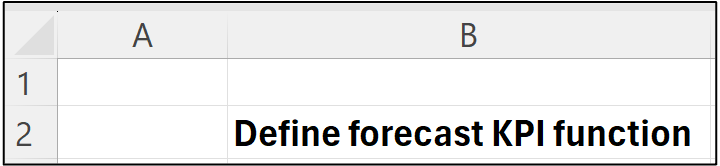
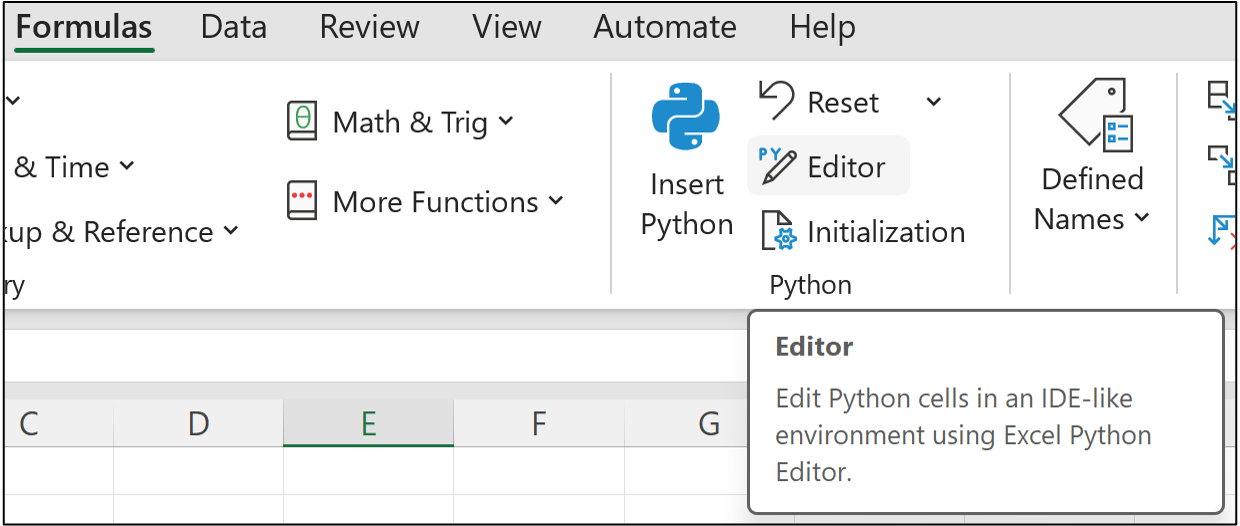
I then place the Python in Excel code to the right of each comment. In this case, clicking on cell C2 and then firing up Excel's new Python Editor:
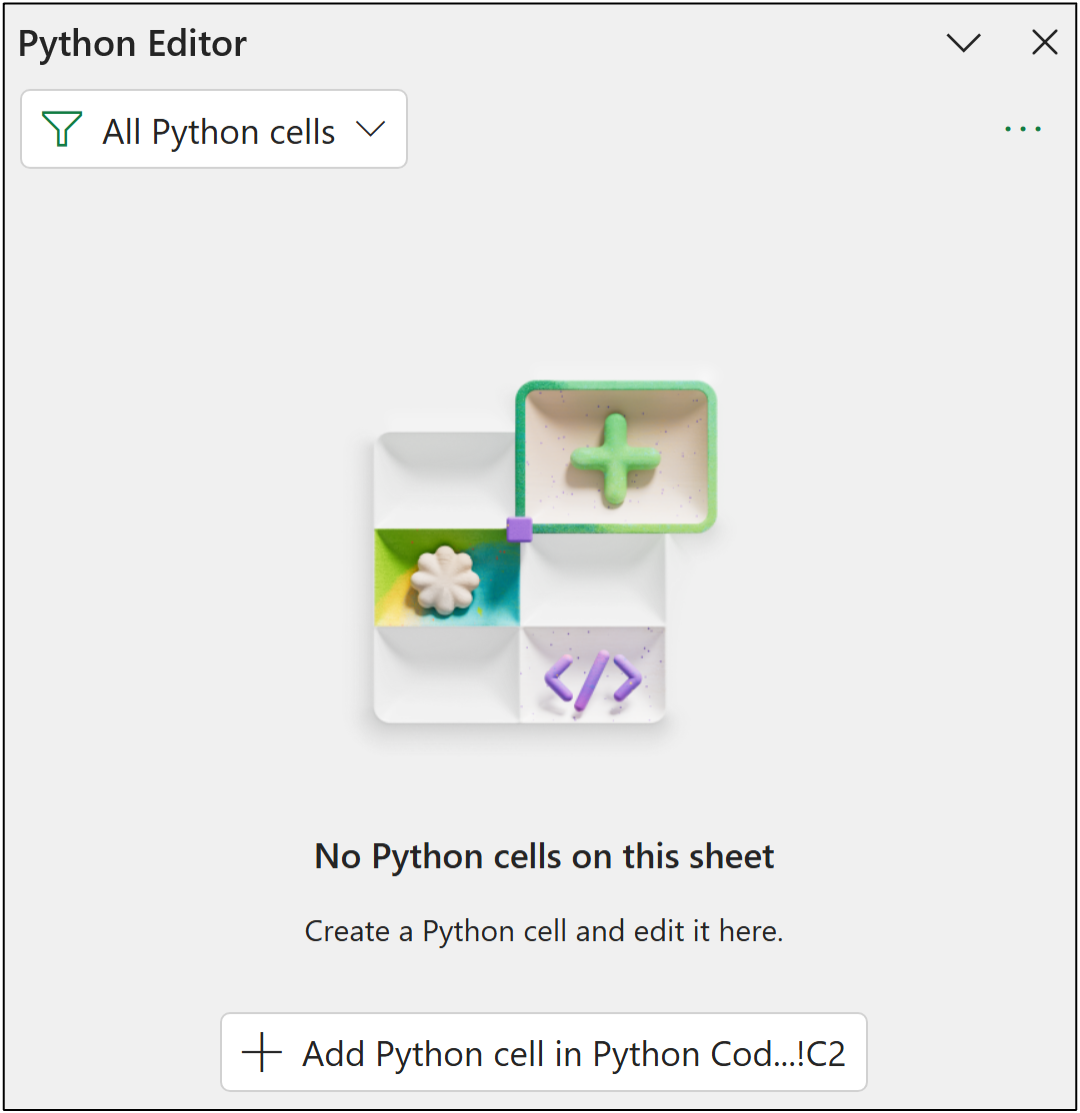
This opens the Python Editor pane where you can click a button to create a new Python formula in cell C2:
Then adding the following code that defines a Python function for calculating the bias and MAE KPIs:
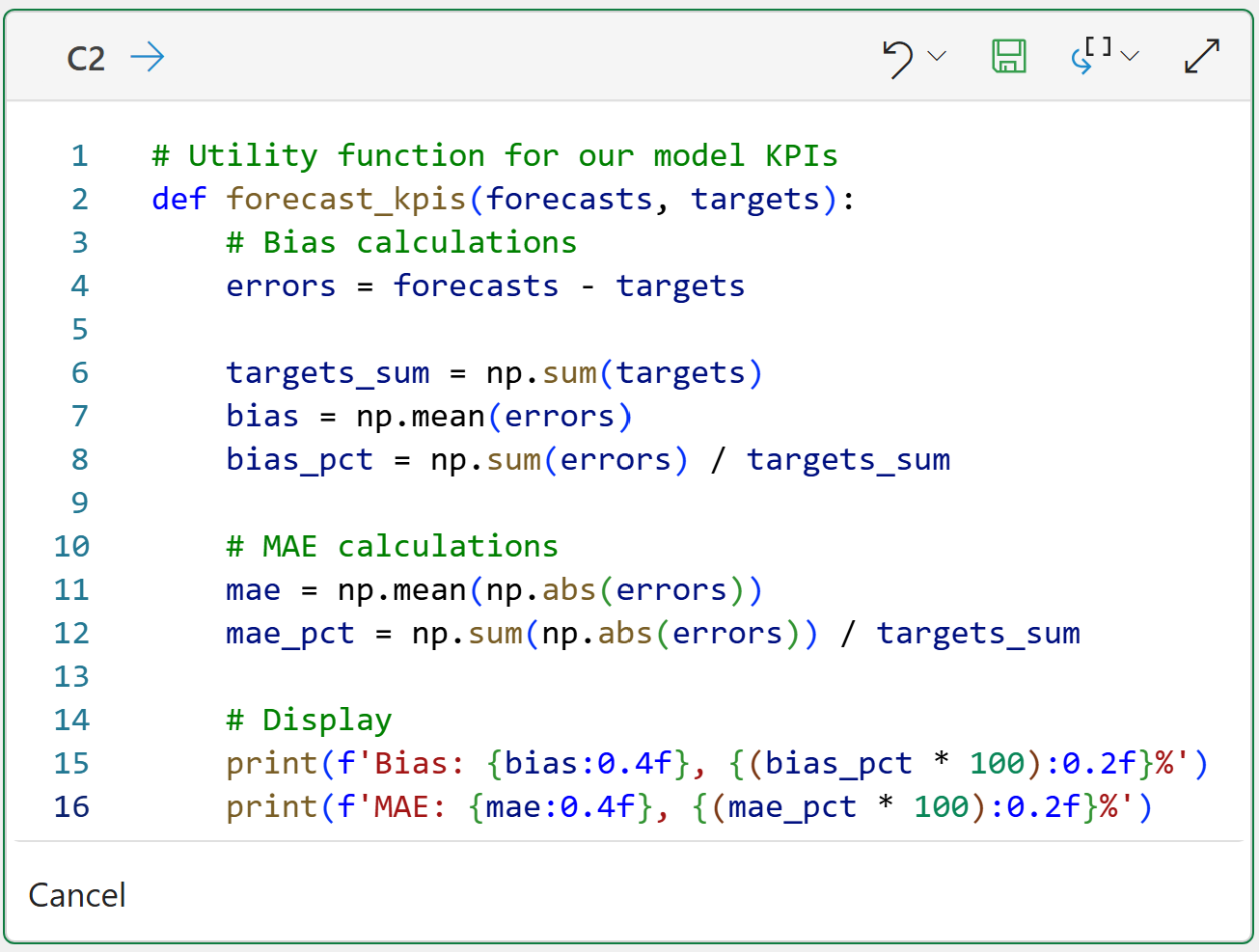
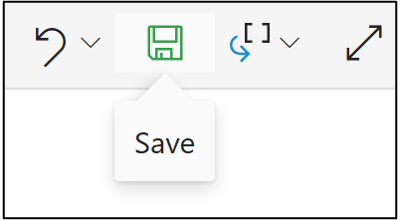
Lastly, clicking the save icon to run the Python formula to create the custom function:
To recap this tutorial series so far:
You know the fundamentals of ARIMA.
You know how to detect stationarity and seasonality.
You know how to handle seasonality.
You know how to test your ARIMA models.
You know how to evaluate your ARIMA models.
This is the foundation you need for building the best ARIMA forecasting models.
This Week’s Book
My book was officially released on January 8th, 2026. Physical and Kindle versions are available now from Amazon:
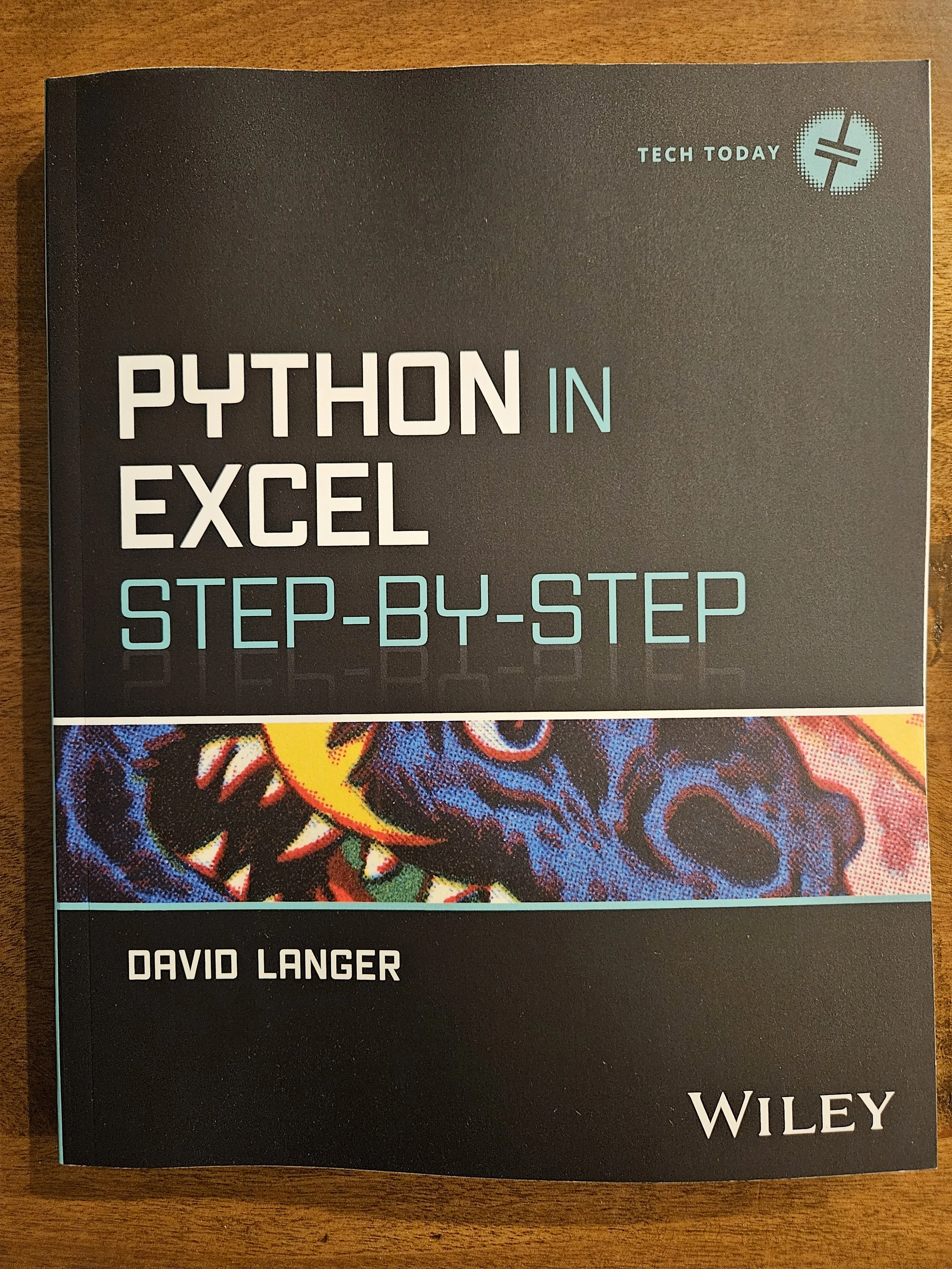
This book is designed for ANY professional to build the Python foundation required for the future of Microsoft Excel. For example, partnering with the Copilot in Excel AI to conduct a data analysis. The book leverages your existing Excel knowledge and maps it to Python to build your skills fast.
That's it for this week.
Next week's newsletter will teach you how to craft an ARIMA model using the mighty statsmodels library.
Stay healthy and happy data sleuthing!

Dave Langer
Whenever you're ready, here are 3 ways I can help you:
1 - The future of Microsoft Excel forecasting is unleashing the power of machine learning using Python in Excel. Do you want to be part of the future? Order my book on Amazon.
2 - Are you new to data analysis? My Visual Analysis with Python online course will teach you the fundamentals you need - fast. No complex math required, and Copilot in Excel AI prompts are included!
3 - Cluster Analysis with Python: Most of the world's data is unlabeled and can't be used for predictive models. This is where my self-paced online course teaches you how to extract insights from your unlabeled data. Copilot in Excel AI prompts are included!