
Originally published October 24, 2026.
How Does Power BI Copilot Use Your Semantic Model?
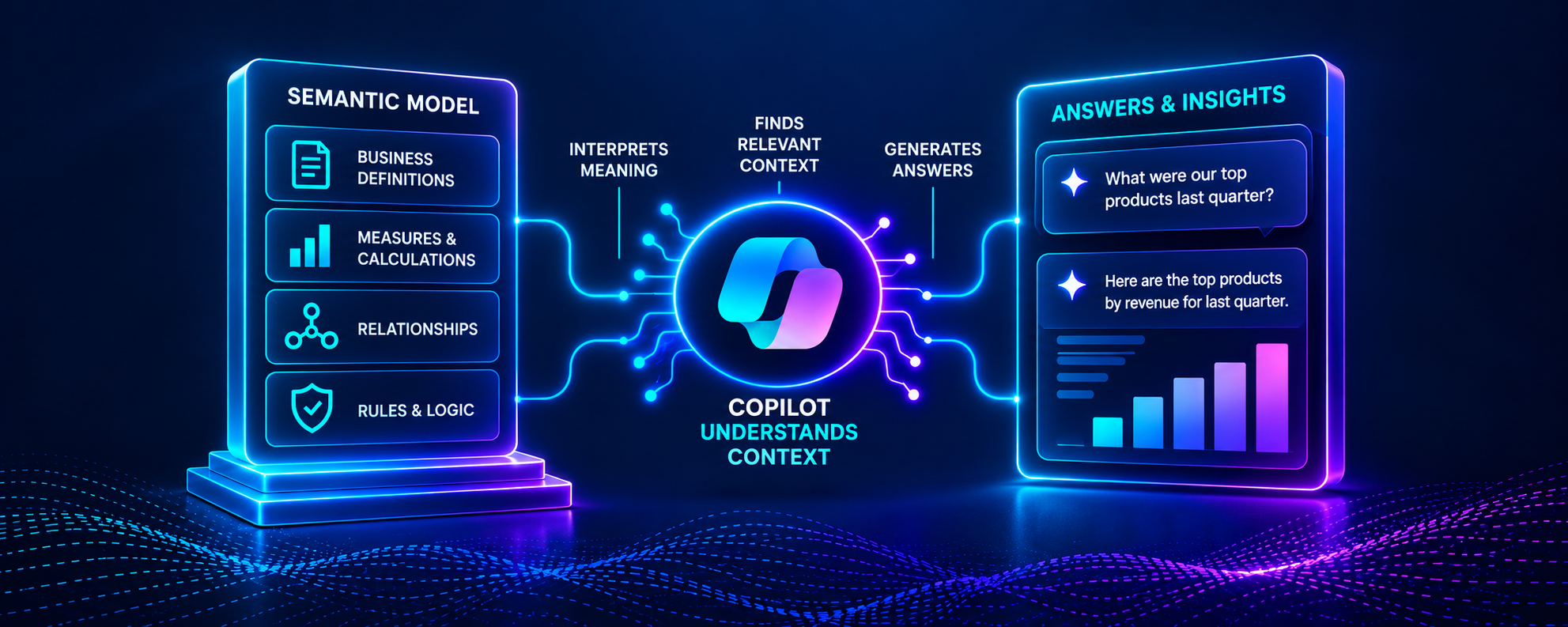
Key takeaway: Power BI Copilot does not consume a semantic model the same way a report visual does. It must interpret the user’s language, identify the relevant parts of the model, and ground its response using model metadata, report context, and other signals. That is why clear semantics, curated AI schemas, AI instructions, verified answers, and realistic testing matter.
Your Semantic Models Are The Generative BI Foundation
Power BI semantic models were originally designed to support reports and dashboards. As shown by Power BI's rise as a dominant technology, they do this very well.
In 2026, times are changing.
Now, Power BI semantic models are increasingly becoming the foundation for real-world AI within organizations.
For organizations looking to leverage their semantic models as the foundation for Generative BI solutions, this raises an important question:
“What does Power BI Copilot actually know about your semantic model?”
Most Power BI professionals can answer this question relatively well. Copilot will know:
Table and column names
DAX measures
Reports and visuals
As important as this question is, there’s another question that’s even more important for enterprise-class Generative BI:
That last question matters a lot because Copilot doesn’t understand your model the way you do:
Copilot doesn’t know the history behind your measures.
Copilot doesn’t remember the meetings where Finance and Sales agreed on a common definition of Revenue.
Copilot doesn’t know which column is legacy or which dates should be used unless that is made explicit.
That’s why Power BI’s Prep data for AI features are the first stop on your Generative BI journey.
What Context Does Copilot Get From the Semantic Model?
When a user asks Copilot a question about data, it uses Power BI to ground the AI with context from the reports and semantic model. That context can include:
Tables
Columns
Measures
Descriptions
Relationships
Context from the current report page
Context from the current Copilot conversation
Power BI then performs schema reduction to narrow the metadata passed to Copilot to the tables, columns, measures, relationships, etc. most relevant to the user’s question.
Think about that for a second.
By default, Copilot is getting less grounding, not more.
So, if you want to build Generative BI solutions, you must keep this in mind:
Copilot doesn’t interact with the semantic model the same way a Power BI report visual does.
A report visual is defined by the fields and measures it can query.
By comparison, Copilot must first interpret the user’s language and determine which parts of the model are relevant.
In other words, Copilot tries to connect natural language with the model's objects and semantics.
That means you need to optimize the metadata for Copilot to use.
Why Isn't the Semantic Model Enough?
I want to be crystal clear on something.
A well-designed Power BI semantic model already gives Copilot a significant head start. So, you’re not starting over from scratch. Suppose a user asks:
“What was gross margin for our reseller business last year?”
And suppose your semantic model contains:
A measure named Gross Margin %
The DAX code behind it
A Percentage format
A description
A Distributor table
Relationships connecting Distributor Sales to Dates and Products
That’s much better than pointing an LLM like Copilot at raw database tables.
But the semantic model still may not contain all of the context that you, as a Power BI professional, carry around in your head.
Imagine a semantic model with columns or measures like:
Sales
Gross Sales
Net Sales
Adjusted Sales
You already know that your executives actually mean Net Sales whenever they say “Sales.”
But Copilot doesn’t automatically know that.
Or imagine the semantic model contains:
Order Date
Due Date
Ship Date
When one of your executives asks:
“How did sales trend last quarter?”
Put yourself in Copilot’s shoes. Which date should Copilot use?
Now consider when a sales executive asks:
“Which Distributors are underperforming?”
What does “underperforming” mean?
Revenue below target?
Declining year over year?
Low profitability?
Reduced purchase frequency?
You can think of Copilot as “understanding” the English word (even though it doesn’t understand it the way you or I do).
But Copilot doesn’t automatically understand your organization’s definition.
That’s the gap that enriching your semantic models using the Prep data for AI feature is designed to reduce.
How Does Prep Data for AI Help?
As I write this, Power BI’s Prep data for AI experience is still in preview. However, I can’t imagine it won’t reach GA soon.
Why?
Because this experience gives semantic model authors three major ways to provide additional context to Copilot:
AI Data Schemas
Verified Answers
AI Instructions
Each of these three ways of providing Copilot context solves a different problem.
What Does an AI Data Schema Do?
An AI Data Schema lets you define a focused subset of semantic model tables and columns for Copilot to use when answering user questions.
That matters because mature semantic models often contain:
Technical keys (e.g., database PKs)
Helper columns
Deprecated columns
Different versions of the same measure
Objects created for specialized reports
Columns that business users rarely need for their questions
Every unnecessary piece of a Power BI semantic model gives Copilot another possible choice.
In other words, it raises the chance of Copilot making a mistake.
When you specify an AI Data Schema for your semantic model, you reduce those chances. You are effectively telling Copilot:
“These are the parts of the semantic model that matter most for natural-language data questions.”
If you want to build enterprise-class Generative BI, then you must follow this design principle:
More context is not always better context.
Most of the time, the best way to improve Copilot’s results is to provide it fewer, better choices.
Does the AI Data Schema Affect Every Copilot Experience?
The short answer is, “No!”
This is an important consideration in Microsoft’s current documentation.
The AI Data Schema feature improves Copilot capabilities that use a semantic model to answer data questions.
But it doesn't improve every Copilot feature.
For example, Microsoft documents that AI Data Schemas don’t apply when Copilot:
Summarizes a report
Answers questions directly using report visuals
Creates a report page
Searches for data
Works with DAX queries
Each Copilot use case above requires different grounding.
For example, report summaries can use report metadata and data from report visuals.
In comparison, report creation, search, and DAX query experiences may require the full semantic model rather than the curated AI Data Schema.
This means preparing your semantic model for Generative BI depends heavily on the Copilot use cases you want to support.
When Should You Use Verified Answers?
Verified Answers solve a different problem.
You often don’t want Copilot to build an answer from scratch.
Many of your business questions already have an approved answer because you’ve spent years building Power BI reports to answer them. For example:
“What is our profitability by region?”
If you’ve already built a trusted Power BI visual that answers the question correctly, why would you want Copilot to calculate it?
Verified Answers let you associate common business questions with your Power BI visuals. You can even associate variations of the same question with your visuals.
When Copilot recognizes a matching question, it then uses the associated visual instead of trying to come up with the answer on its own.
With Verified Answers, you’re now faced with an important design choice:
Which questions should Copilot handle on its own, and which questions should return a trusted answer?
For Generative BI, that’s as much a governance question as a technical one.
What Do AI Instructions Add?
You enrich your Power BI semantic models with AI Instructions to give Copilot the business context that even well-designed semantic models usually can’t express.
Consider the following example of AI Instructions:
When a user asks about sales or revenue without another qualifier, use Net Sales.
Use Order Date for sales-performance analysis unless the user explicitly asks about shipping.
When discussing margin, use Gross Margin %, not an average of transaction-level margin percentages.
Notice how these aren’t descriptions of individual tables or columns?
Instead, they’re instructions on how the business wants data analyzed and interpreted.
That’s powerful because much of the knowledge you have as an experienced Power BI professional takes exactly this form:
It’s context-dependent.
It often spans multiple tables and columns.
And it frequently exists only in your head.
AI Instructions give you a place to make your knowledge explicit to Copilot.
But there is an important limitation - AI Instructions are still prompts.
They influence Copilot, but they don’t turn Copilot into a rules engine guaranteed to produce the same results every time.
Microsoft clearly warns you that wording, order, complexity, and conflicts between instructions can affect results.
Not to mention that Copilot (like all LLMs) has a random element that you can never completely eliminate.
So don’t make the mistake of doing a brain dump into the AI Instructions.
Your goal is to engineer your model’s AI Instructions to provide focused context that helps Copilot interpret the model correctly.
Does Prep Data for AI Guarantee Accuracy?
The short answer is, “No!” And this is critical. Prep data for AI does not fix a bad semantic model. Consider a semantic model where:
Relationships are wrong.
The DAX is incorrect.
Important metrics are unclear.
Names and descriptions are contradictory.
For this semantic model, no amount of AI instructions will overcome these problems and give your users an enterprise-class Generative BI experience.
Oh, and just to be clear. AI Data Schemas won’t do it. And Verified Answers won’t, either.
You must have a well-designed semantic model plus Prep data for AI.
Never forget that Microsoft makes it crystal clear that Copilot will always have a certain level of randomness.
So, even a well-prepared semantic model can produce unexpected results from time to time.
This is why preparing your Power BI semantic models for Copilot is a three-step process:
Build a well-designed semantic model.
Enrich and curate the model for Copilot.
Test how Copilot actually behaves with realistic business questions.
Preparation and testing go together.
Oh, and this isn’t a one-and-done thing. Generative BI requires ongoing maintenance like any other IT solution.
What Does "Approved for Copilot" Mean?
After you prepare and test your semantic model, Power BI lets you mark it as Approved for Copilot. This setting used to be called Prepped for AI.
Marking a semantic model as Approved for Copilot signals that the model has been prepared and tested for AI use.
In standalone Copilot, approved models avoid the warning treatment applied to unapproved content, and organizations can configure Copilot search to prioritize or restrict results to approved items.
But you must properly set expectations with your business stakeholders.
An Approved for Copilot semantic model is no guarantee that:
Copilot answers will be 100% correct 100% of the time.
Copilot can answer any question a user might ask.
Your business stakeholders must understand that the semantic model has been enriched and tested to be as accurate as possible.
What Happens When Copilot Has Multiple Models?
Preparing a semantic model for AI is a non-trivial amount of work.
But preparing one model is only part of the challenge. Business users often work across multiple reports and semantic models.
Standalone Copilot and app-scoped Copilot can help users find and work across those items. That introduces a broader governance challenge:
How do you keep business terminology, metric definitions, AI instructions, and approved answers consistent across multiple semantic models?
Without that consistency, the same business question can be interpreted differently depending on which model Copilot uses.
That challenge becomes even more important with app-scoped Copilot, where users can interact with multiple curated reports and semantic models through a single experience.
That’s where we’ll go next.
Greetings! I’m Dave Langer
Author | Microsoft MVP | LinkedIn Top Voice

I help Power BI teams move past dashboards to Generative BI using Microsoft Fabric and Fabric IQ.
If your organization is serious about enterprise-class conversational analytics, we should talk.