

Join 1,000s of professionals who are building real-world skills for better forecasts with Microsoft Excel.
Issue #56 - Text Mining with Python Part 3:
Transforming Your Tokens
This Week’s Tutorial
Last week's tutorial taught you how to build a robust text pre-processing pipeline. This pipeline performs the following steps:
Case folding
Tokenization
Removing punctuation
Stopword removal
Generating n-grams
While text pre-processing is a necessary step, it's not enough on its own for analyzing free-form text. Here's why.
Every battle-tested analytics technique commonly used with business data has a simple requirement:
Your data needs to be in a table.
And that includes the tokens produced by your text pre-processing pipeline.
This week's tutorial will teach you how to transform your tokens into a data table using the bag-of-words model. As always, it's highly recommended that you follow along by writing and running the code that you see in this tutorial.
FYI - While I'm using Python in Excel for this tutorial series, the code is 99+% the same whether you're using Microsoft Excel or a technology like Jupyter Notebook.
Transforming a Document into Rows of Data
The first step in transforming your tokens is deciding how to map tokens from the documents in your collection (i.e., your corpus) to a table.
It's most common in text mining to choose the following mapping:
Documents are the rows of the table
Tokens are the columns of the table.
There are a couple of details about this mapping I should mention.
First, the columns are built from the vocabulary of your corpus, where the vocabulary is the collection of unique tokens across all documents in the corpus.
For example, let's say the token customer appears in many documents in your corpus. The vocabulary would have a single entry for customer, not multiple entries.
Second, because the columns of the table are the vocabulary of your corpus, the columns are usually referred to as the terms.
This tabular structure, where documents are rows and terms are columns, is commonly referred to as a document-term matrix. You can think of a matrix as being synonymous with a table.
Document Vectors Are the Rows
The most common way to represent documents in text mining is using vectors. While there are formal definitions of a vector, all you need is a practical understanding:
A document vector is a collection of numeric values that represent the content of the document.
In order to transform the documents in a reproducible way, creating a function for a text pre-processing pipeline is a good idea:
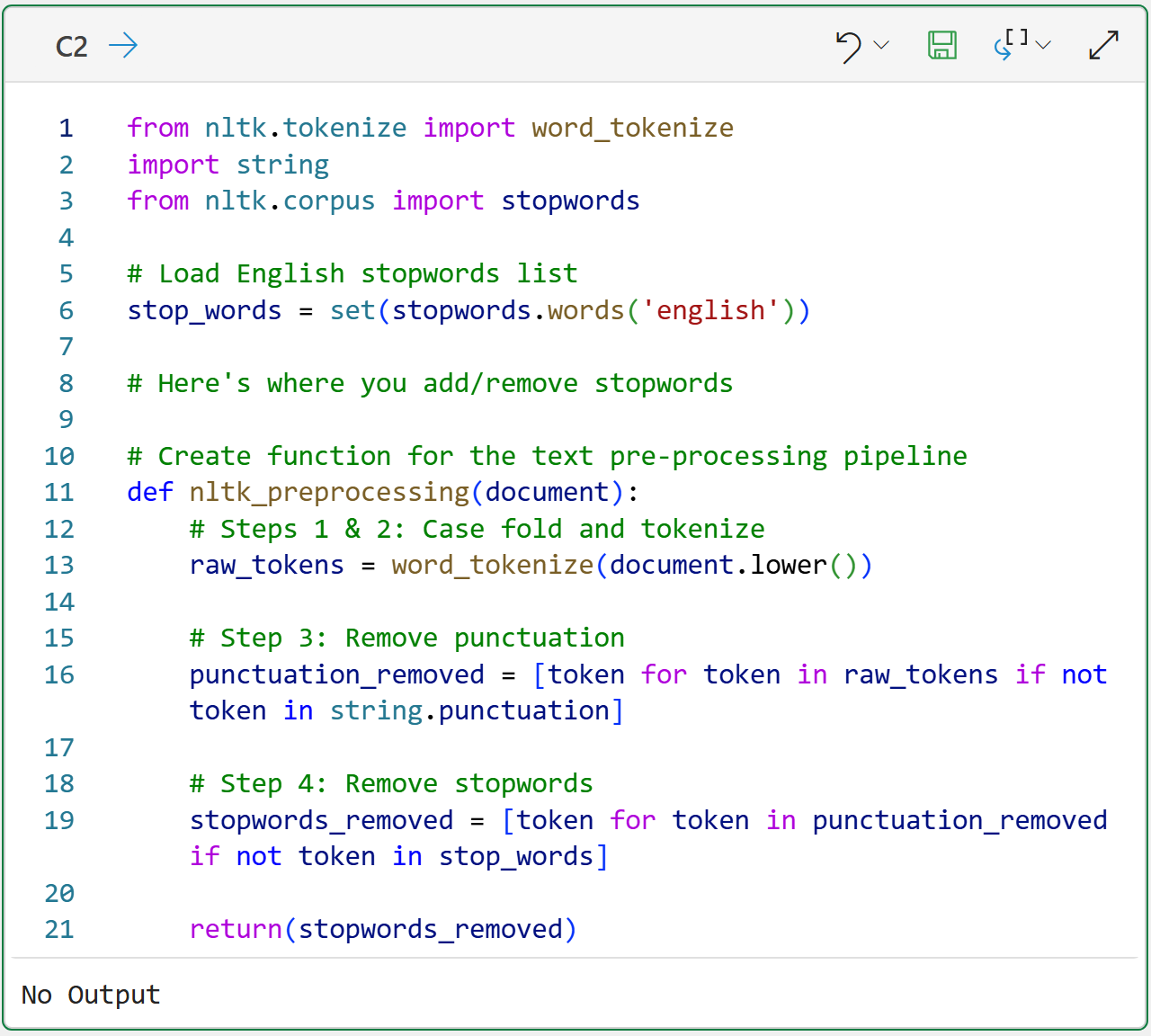
BTW - If you're new to Python in Excel, my Python in Excel Accelerator online course will teach you the foundation you need for analytics fast.
The code above is super handy and something you can copy and paste across your workbooks for any future text mining.
With the pre-processing in place, consider the following:
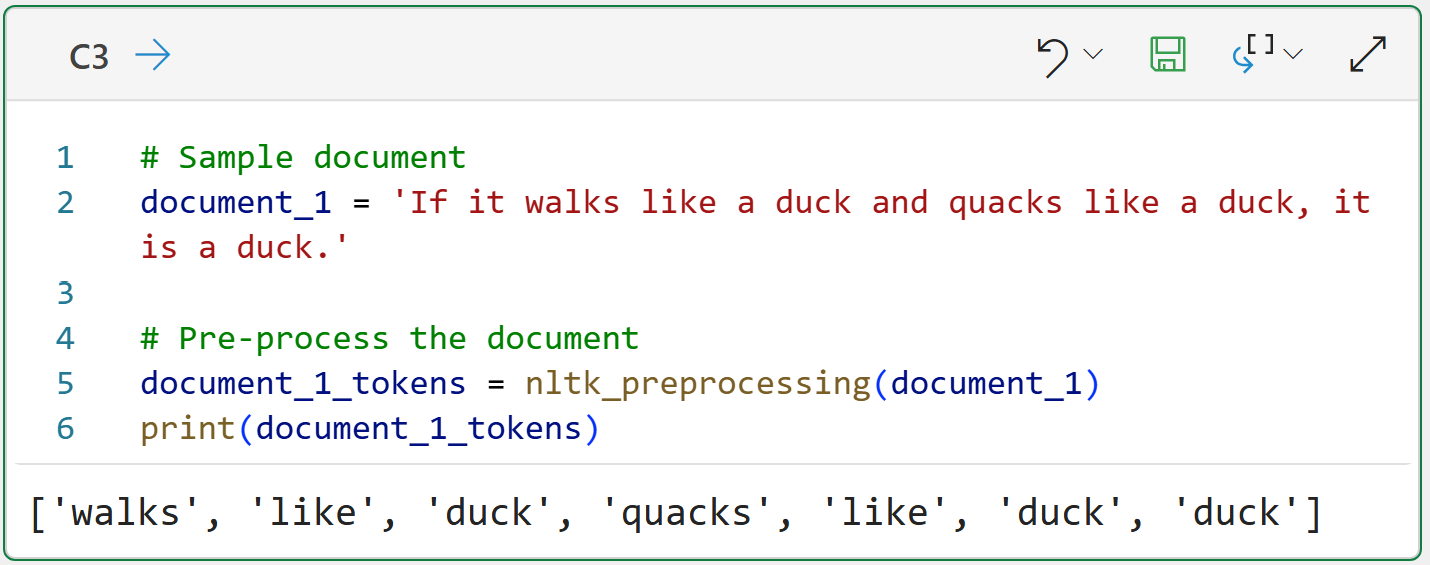
The code above pre-processes the document and returns a list of tokens.
However, this isn't a document vector because it isn't a numeric representation of the document's contents. So, the list of tokens needs to be transformed into the count of the tokens in the document:
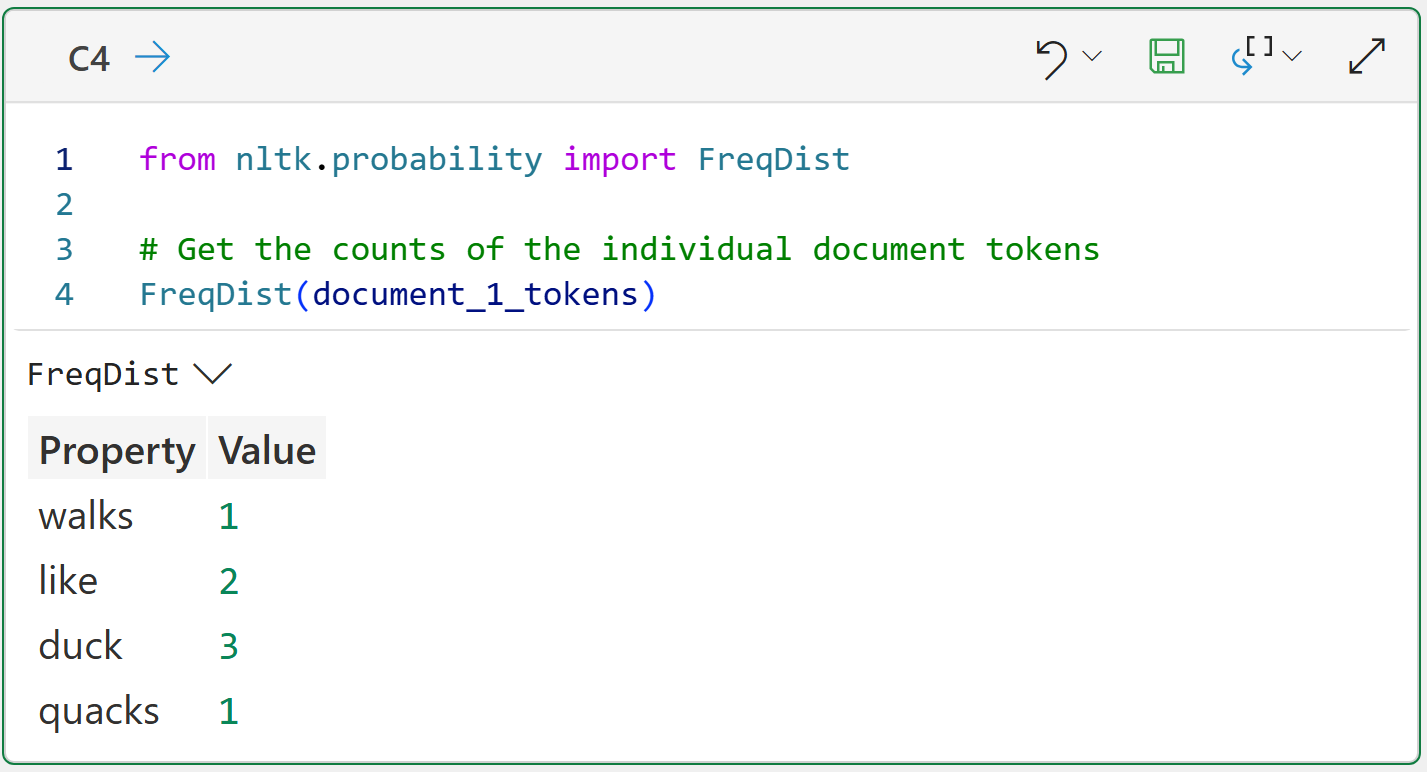
Take a look at the output of the Python formula in cell C4. Calculating the counts of the individual tokens accomplishes two things:
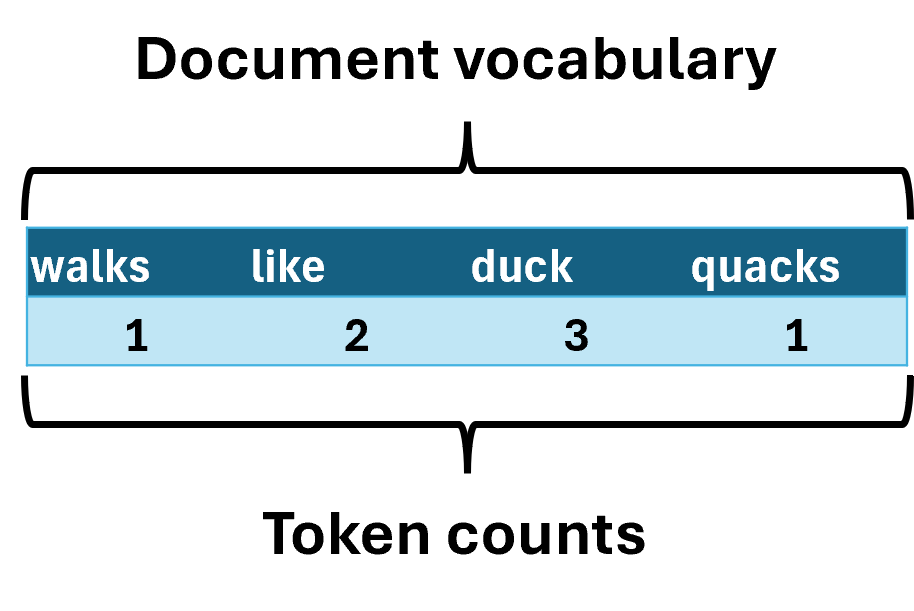
It gives you the vocabulary of the document (i.e., the unique tokens).
It gives you a numeric representation of the contents of the documents (i.e., vector).
Pivoting the data makes this a lot clearer:
Transforming a Document Corpus
Using a single document to build an understanding of text mining concepts is very useful. However, in the real world, your text mining will use document collections.
The following demonstrates tokenizing the simplest scenario of a corpus of two documents:
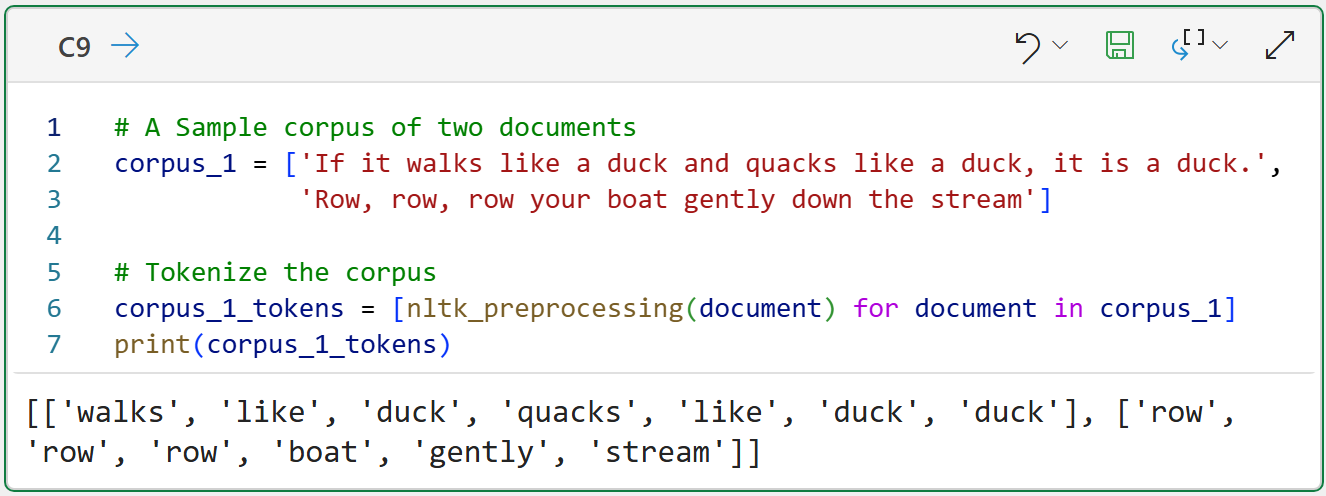
The Python formula in cell C9 shows that corpus tokenization simply tokenizes each document and stores the results collectively. In this case, a list of lists.
When tokenizing a corpus to create a document-term matrix, the vocabulary expands to include all unique tokens across all documents.
The following image demonstrates the bag-of-words model for the above corpus:
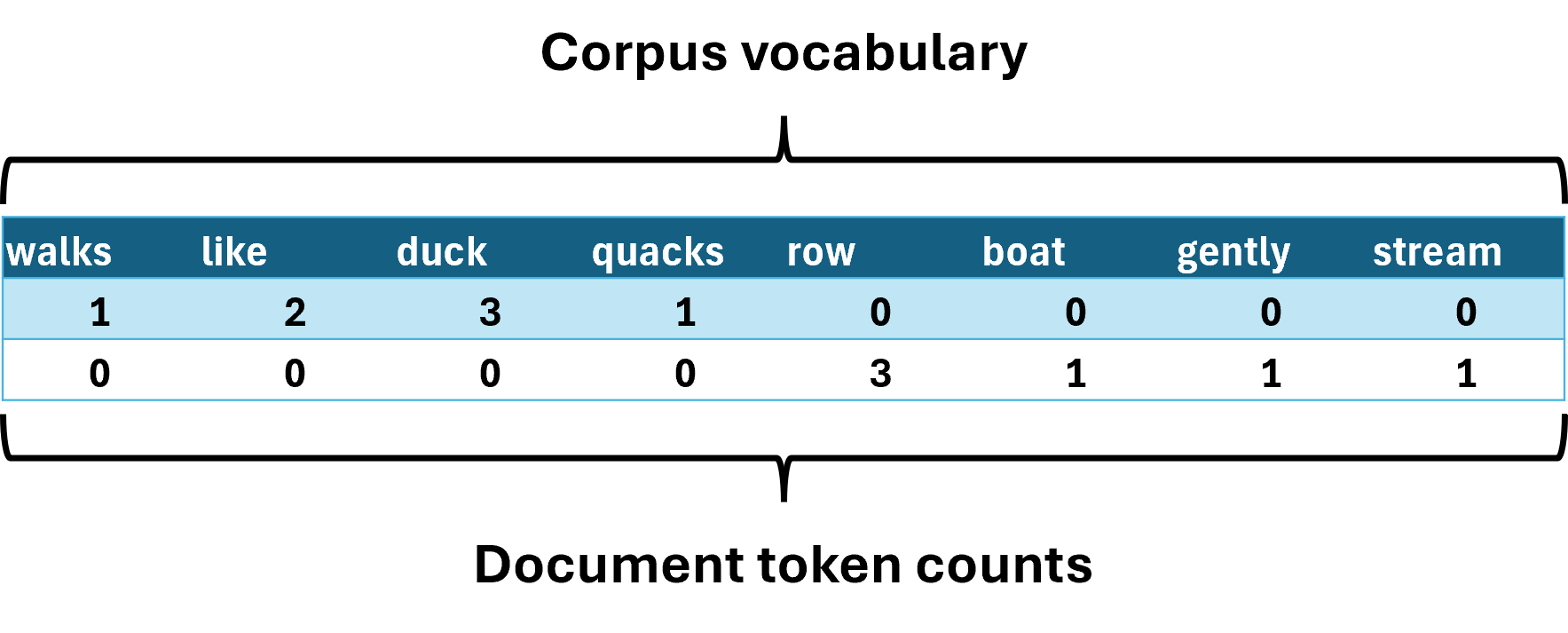
The image above demonstrates a common theme in text mining. As the number and length of the documents in the corpus grow, you tend to see an explosion in the size of the document-term matrix vocabulary.
It's common in real-world text mining for a document-term matrix to have 10,000, 100,000, or even more terms in its vocabulary.
The image above also illustrates another theme in text mining. As the vocabulary of the document-term matrix grows, most of the cells in the table don't contain any information (i.e., most of the cells are zero).
This is a sparse matrix: the table is large but contains relatively little information because most cells are empty.
So, how do you create these sparse document-term matrices?
Enter the mighty scikit-learn library.
Building Document-Term Matrices with scikit-learn
The scikit-learn library provides a number of useful classes and functions for text mining. One of the most important of these classes is the CountVectorizer for creating document-term matrices:
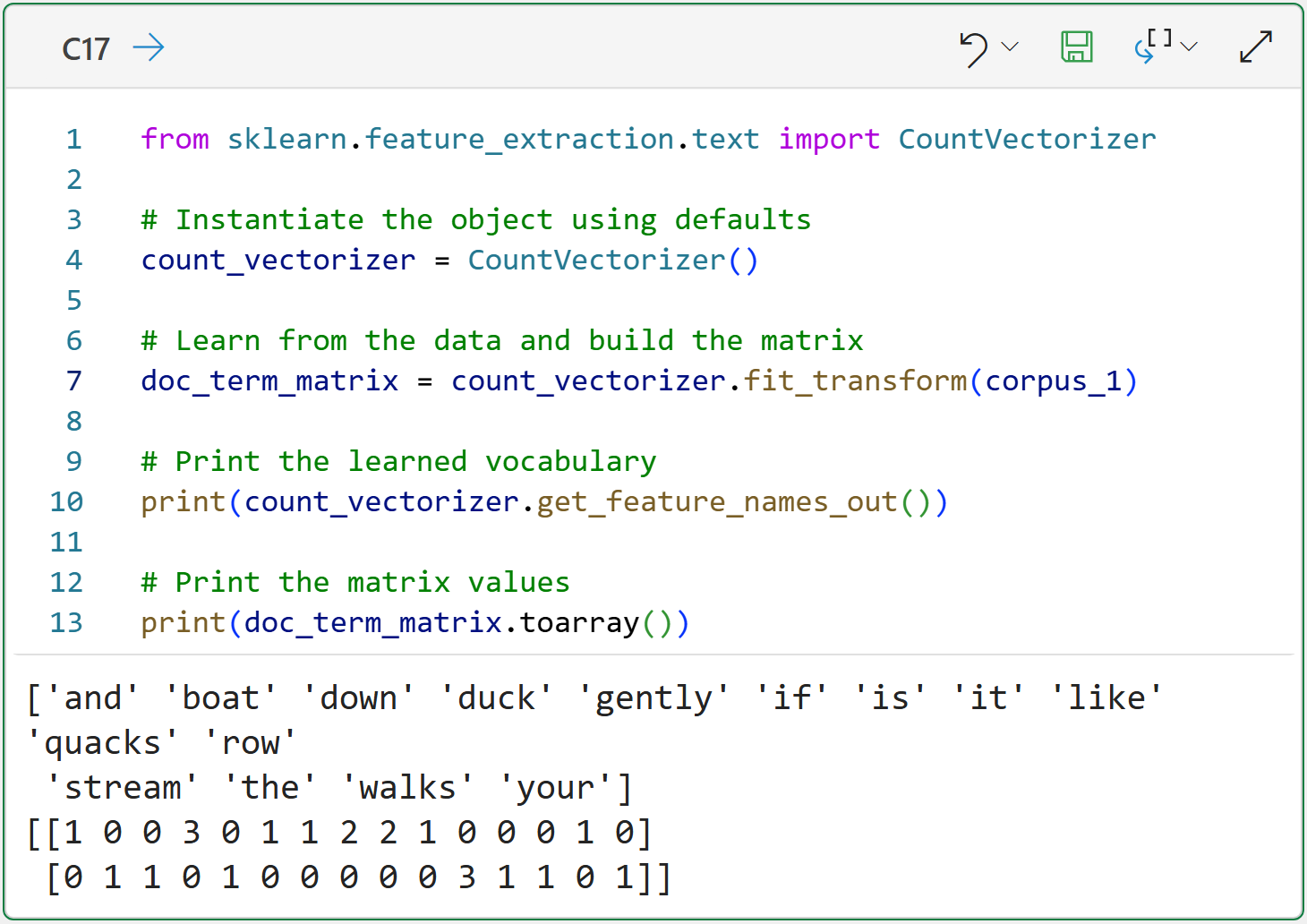
Take a look at the Python formula output for cell C17 because it demonstrates some of the default features of the CountVectorizer class:
Documents are case-folded.
Documents are tokenized.
Punctuation is removed.
Stopwords are not removed.
The vocabulary is in alphabetical order (i.e., it's a bag of words).
While this default behavior is helpful, the Natural Language Toolkit (NLTK) provides more robust support for text preprocessing. Fortunately, the CountVectorizer supports using a custom tokenizer function:
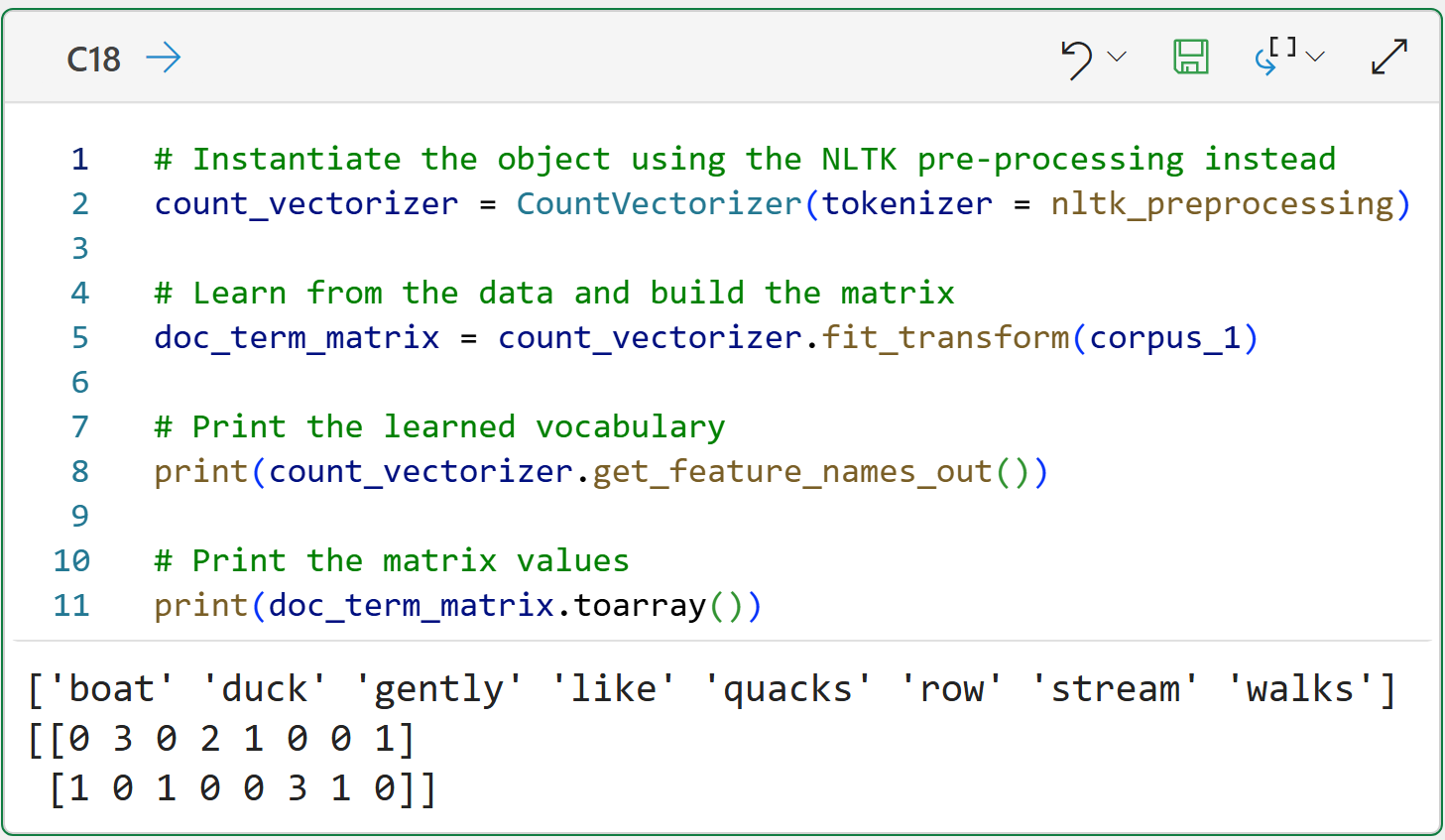
The above Python formula demonstrates that the NTLK and scikit-learn are like chocolate and peanut butter - better together.
This Week’s Book
If you're looking for more Python text mining goodness, then check out the following book:
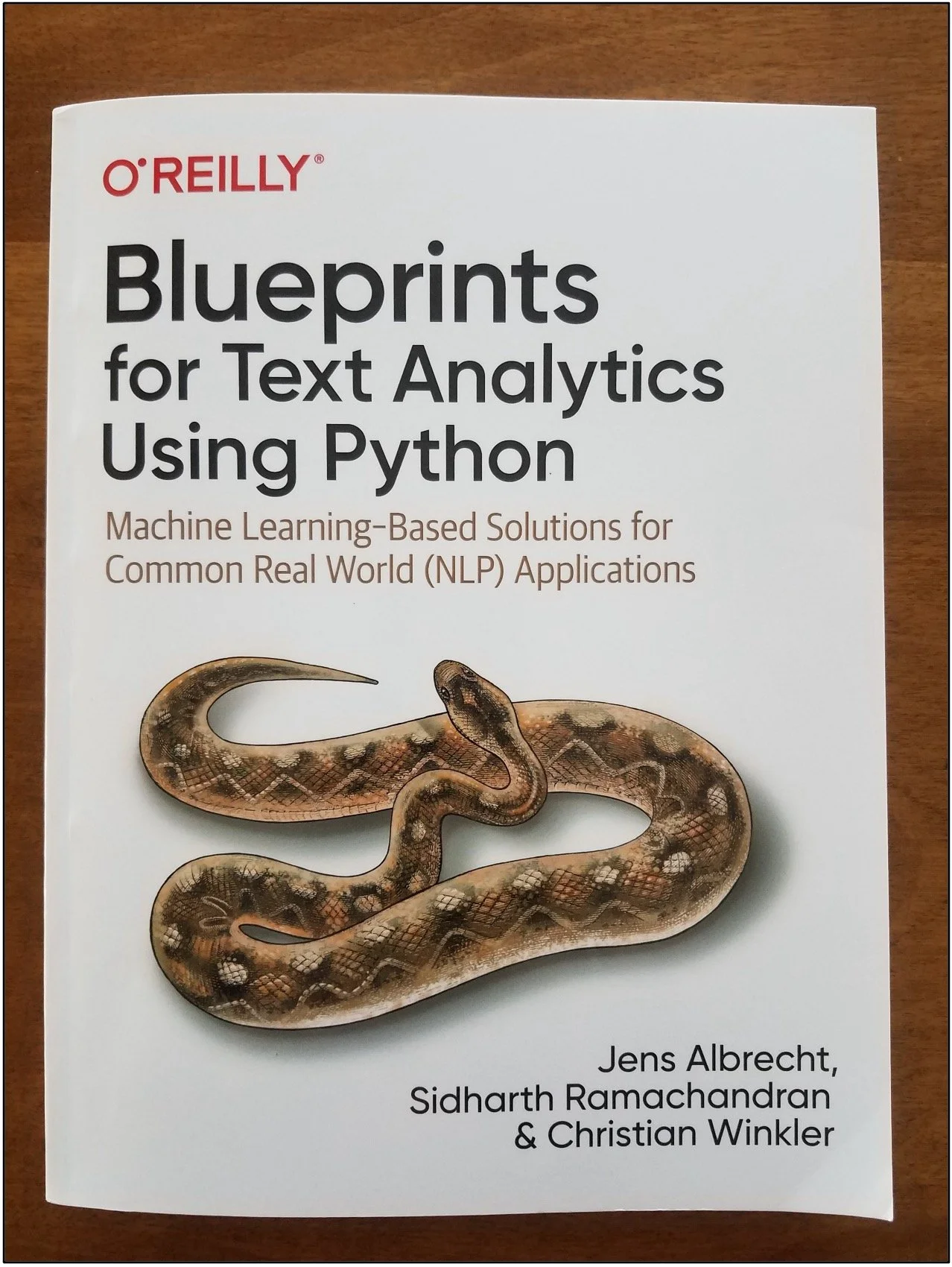
This book has coverage of topics that are out of scope for this tutorial series (e.g., TF-IDF) and teaches how to use Python's rich collection of text mining libraries in various use cases.
That's it for this week.
Next week's newsletter will cover working with a real-world dataset, including visualizing the results using word clouds.
Stay healthy and happy data sleuthing!

Dave Langer
Whenever you're ready, here are 3 ways I can help you:
1 - The future of Microsoft Excel forecasting is unleashing the power of machine learning using Python in Excel. Do you want to be part of the future? Order my book on Amazon.
2 - Are you new to data analysis? My Visual Analysis with Python online course will teach you the fundamentals you need - fast. No complex math required, and the Virtual Dave AI Tutor is included!
3 - Cluster Analysis with Python: Most of the world's data is unlabeled and can't be used for predictive models. This is where my self-paced online course teaches you how to extract insights from your unlabeled data. The Virtual Dave AI Tutor is included!