

Join 1,000s of professionals who are building real-world skills for better forecasts with Microsoft Excel.
Issue #55 - Text Mining with Python Part 2:
Improving Your Tokens
This Week’s Tutorial
In Part 1 of this tutorial series, you learned the first step in text mining - tokenization.
Given that tokens are the foundation for text mining, crafting the best tokens possible is the topic of this week's newsletter. As always, it's highly recommended that you follow along by writing and running the code that you see in this tutorial.
FYI - While I'm using Python in Excel for this tutorial series, the code is 99% the same whether you're using Microsoft Excel or a technology like Jupyter Notebook.
Case Folding
In text mining, a critical concept is vocabulary. A vocabulary is the collection of unique tokens for an entire collection of documents. Just so you know, a document can be any piece of free-form text: a book, a social media post, a Microsoft Word file, etc.
Let's say you have a collection of customer service chats collected from your website. You can think of each chat as a document. The vocabulary in this case would be the set of unique tokens across all customer service chats.
Just so you know, a collection of documents is typically called a corpus in text mining. Also, the plural of corpus is corpora. Now you can drop the lingo. 🤣
To really cement this idea, consider the following:
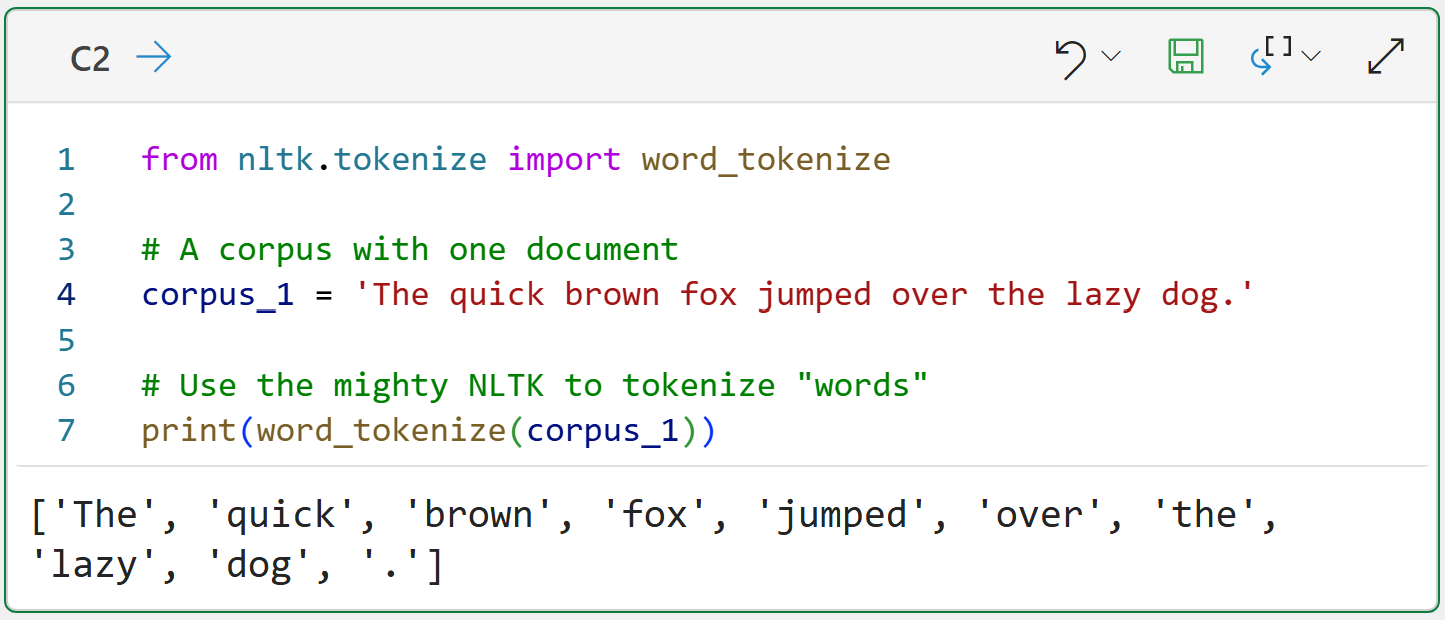
Here's the thing. By default, text mining in Python treats tokens as case-sensitive. In the example above, the tokens The and the are considered distinct and will both be added to the vocabulary.
Now, this is clearly not a great outcome because these words aren't actually distinct in terms of adding meaning to the corpus. So, a common strategy in text mining is to use case folding:
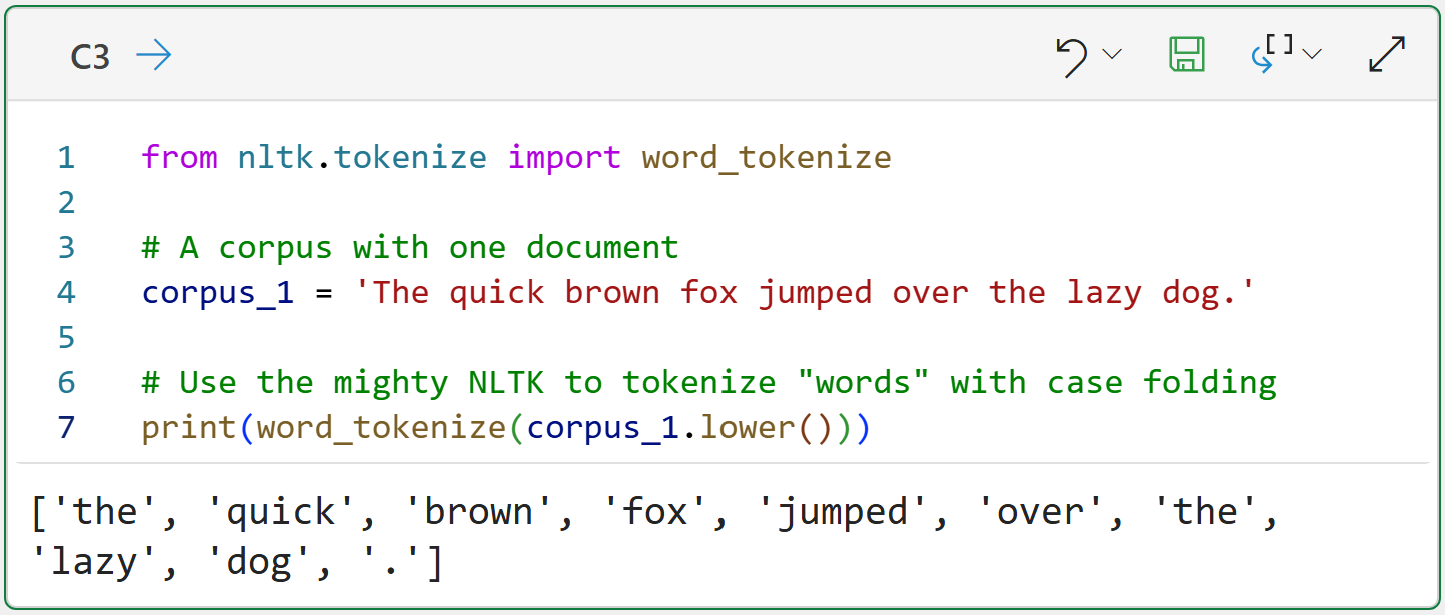
Quick note - going forward, I'm not going to repeat imports in the Python formulas.
Case folding is simply converting all document tokens to lowercase or uppercase. Case folding is not a new idea.
For example, in the US, it's common to receive mail from utilities or insurance companies that uses all uppercase characters. Ever wondered why? It's because these organizations often use mainframes and COBOL, and uppercase case folding was the standard.
Looking at the output for cell C3 shows how the tokens have been normalized, so the token the will be added only once to the vocabulary.
While you can choose to case fold to either lowercase or uppercase, it's most common to use lowercase folding in text mining.
Your default should be to case fold, but it does come at a price:
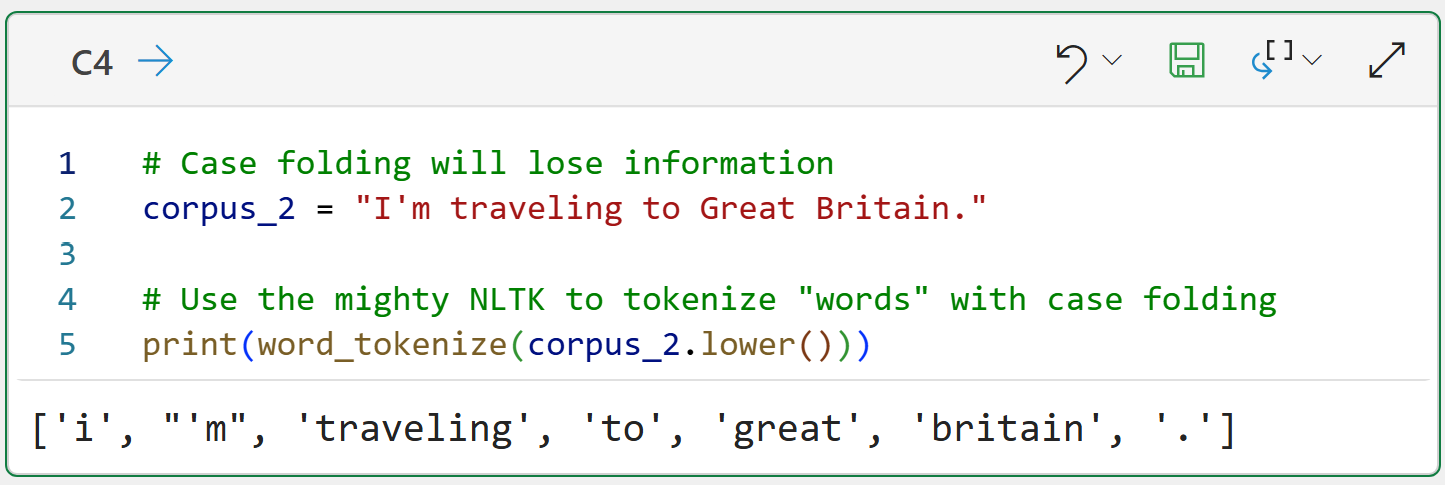
The example above shows that case folding destroys the information that "Great Britain" is a proper noun because of capitalization.
However, the benefits of case folding typically outweigh the loss of this information, so case folding is a standard step in a text preprocessing pipeline.
If you really need to retain proper nouns, the mighty Natural Language Toolkit (NLTK) does offer support for Named Entity Recognition (NER), but NER is beyond the scope of this tutorial series.
Next up, it's time to deal with punctuation.
Punctuation
As you will learn in the next tutorial, it's common to ignore punctuation in real-world text mining because punctuation doesn't add much information.
Luckily, Python provides a list of common characters we can use to remove punctuation:
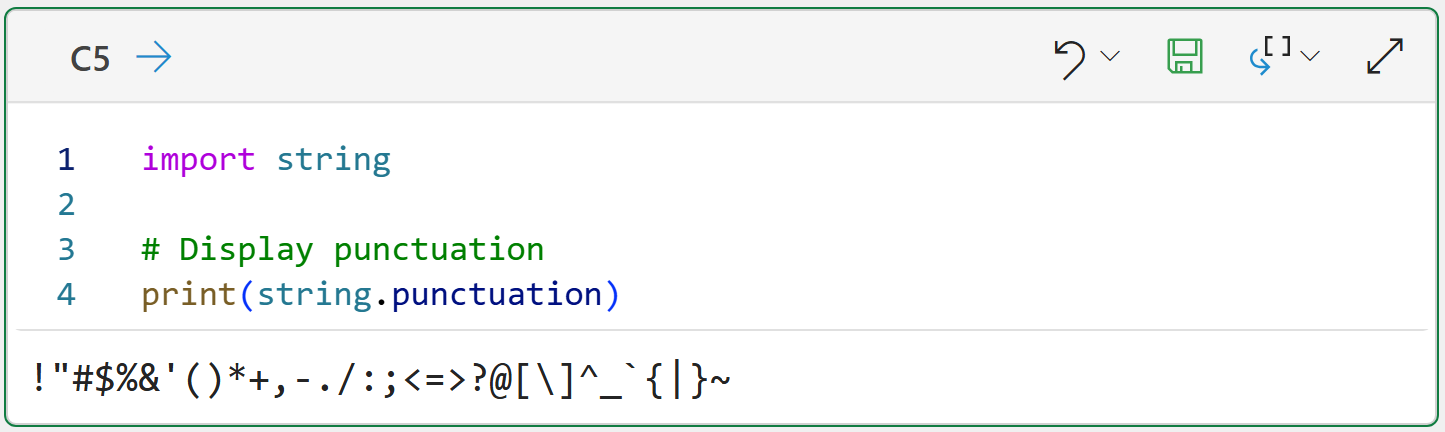
And this list can be used to extend the text preprocessing pipeline:
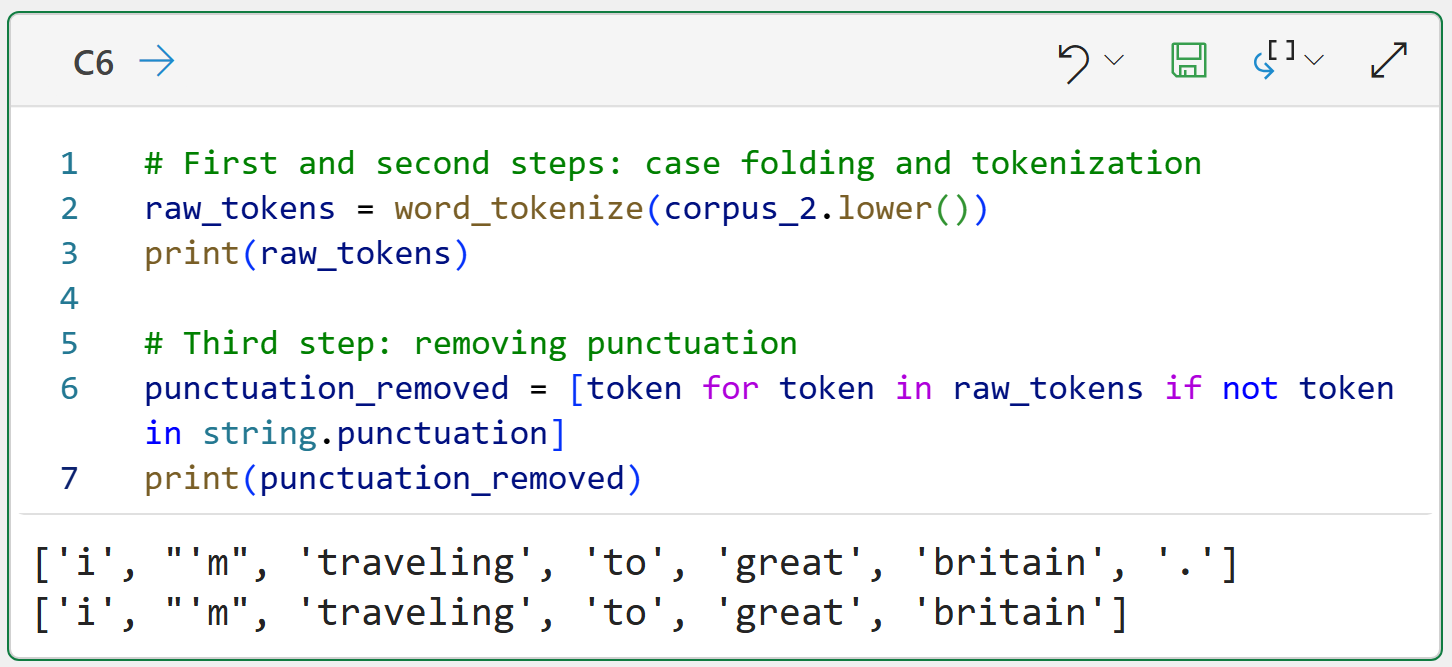
The Python formula in C6 demonstrates the logical idea of a text preprocessing pipeline in code. I'm going to extend the code throughout this tutorial so you can see the gradual transformation of the tokens through each step of the pipeline.
The Python formula also demonstrated how useful Python list comprehensions are when using the NLTK. In this case, the list comprehension only keeps tokens that are not in the punctuation list.
BTW - If you're new to Python in Excel, my Python in Excel Accelerator online course will teach you the foundation you need for analytics fast.
Next up, removing words that don't offer a lot of information.
Stopwords
The English language is filled with words I call "syntactic sugar." The words are used to make language flow, but rarely (if ever) add information/meaning. The technical name for these words is stopwords, and common English examples are: the, is, an, and as.
Because stopwords offer so little value, a common step in a text preprocessing pipeline is removing them from your tokenized documents. Not surprisingly, the NLTK offers support for stopword removal by providing stopword lists in multiple languages:
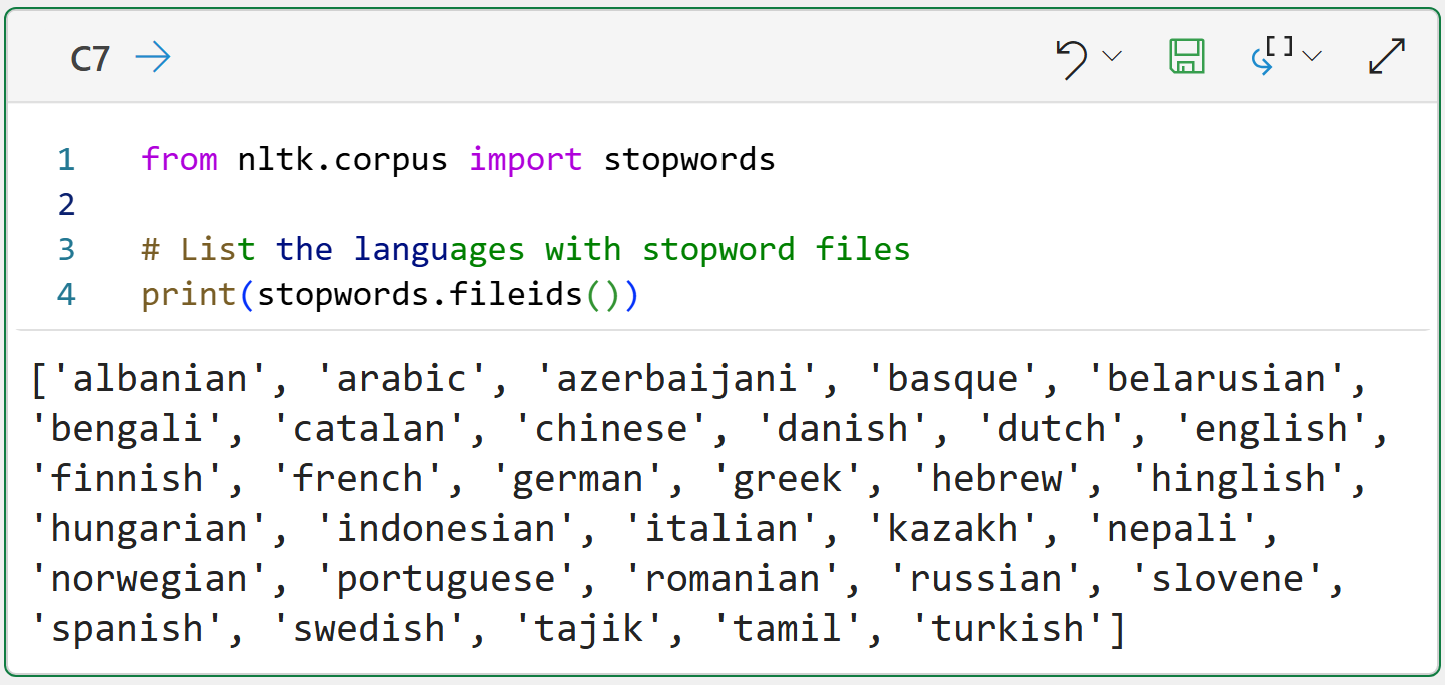
The code above simply shows you which languages have built-in stopword lists provided by the NLTK. There is nothing stopping you from using these lists, altering the lists, or creating your own lists.
In this tutorial series, I will use NLTK's English stopword list, but the concepts apply to any language. Here are the default English stopwords:
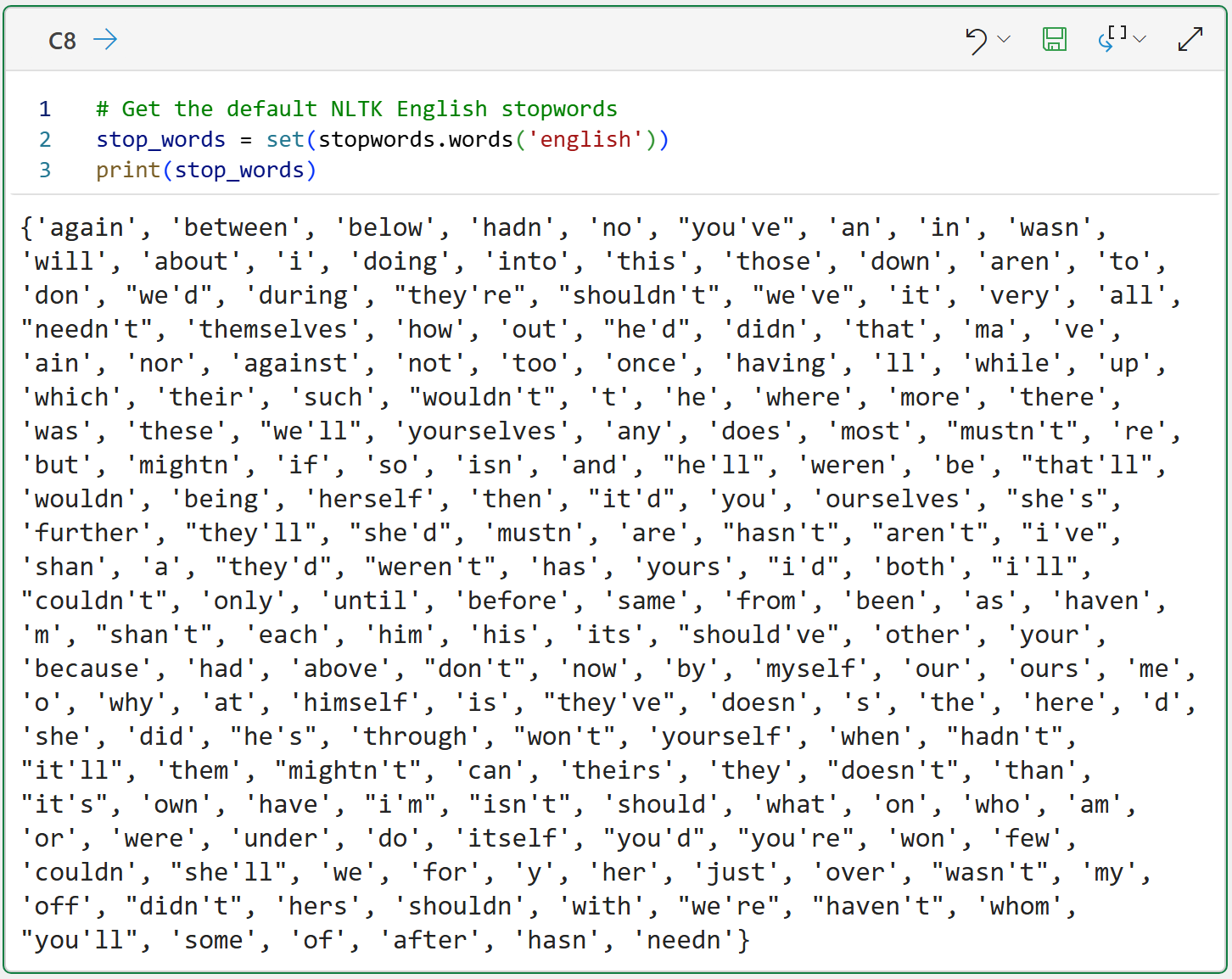
The above code demonstrates how to load and display the English stopwords list. One thing to note about the Python formula in cell C8 is that I'm using a Python set to improve performance.
The list of stopwords is quite extensive, and one of the things you must do is validate that, in fact, you want all of these tokens removed from your vocabulary.
For example, if you're analyzing customer service chats, you might not want to remove words like: who, what, when, where, why, and how.
So, you should never use the NLTK stopword lists blindly. You should alter the lists for your particular use case by:
Removing words from the stopwords list.
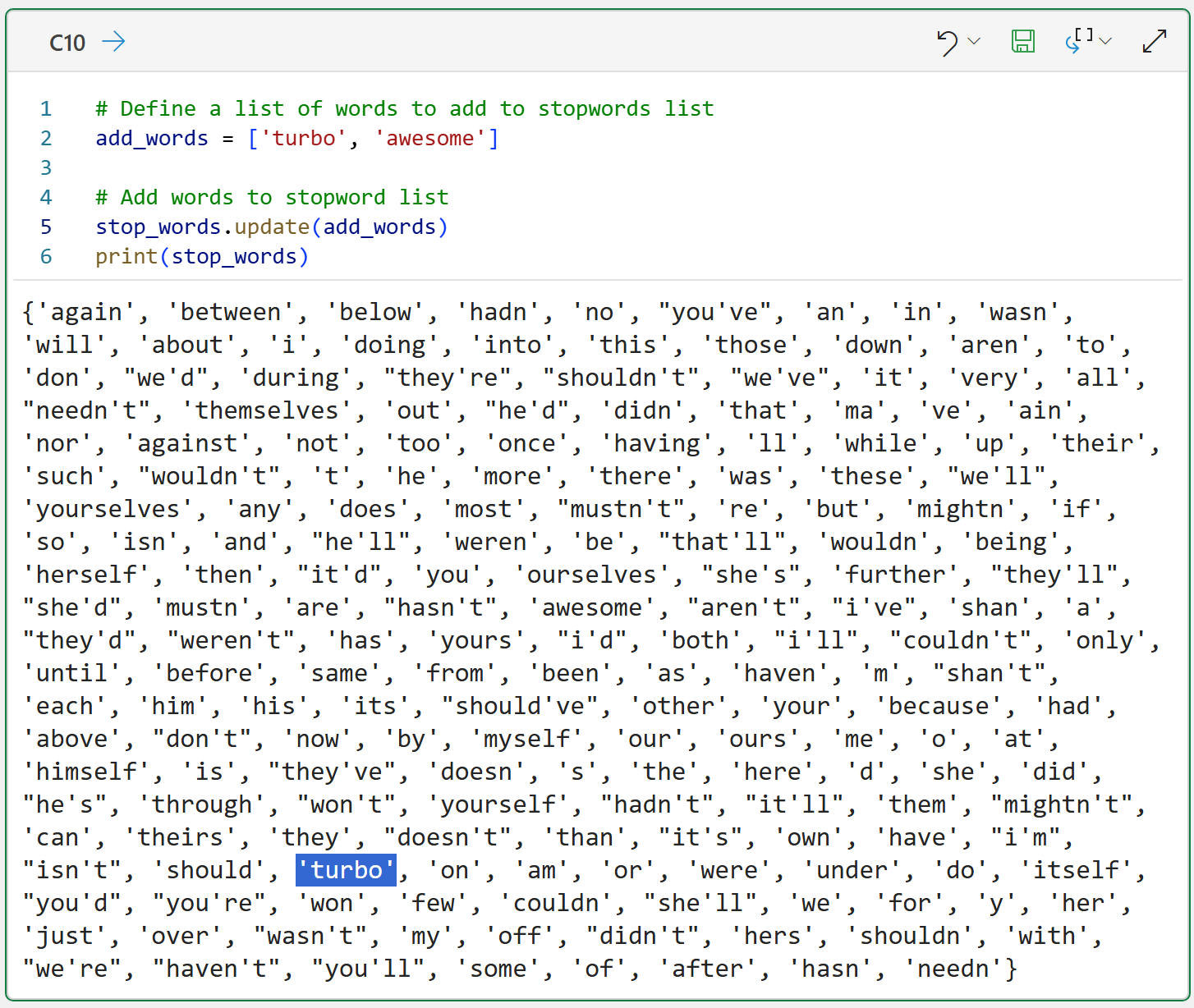
Adding words to the stopwords list.
The following Python formula demonstrates an easy way to remove words from a stopwords list:
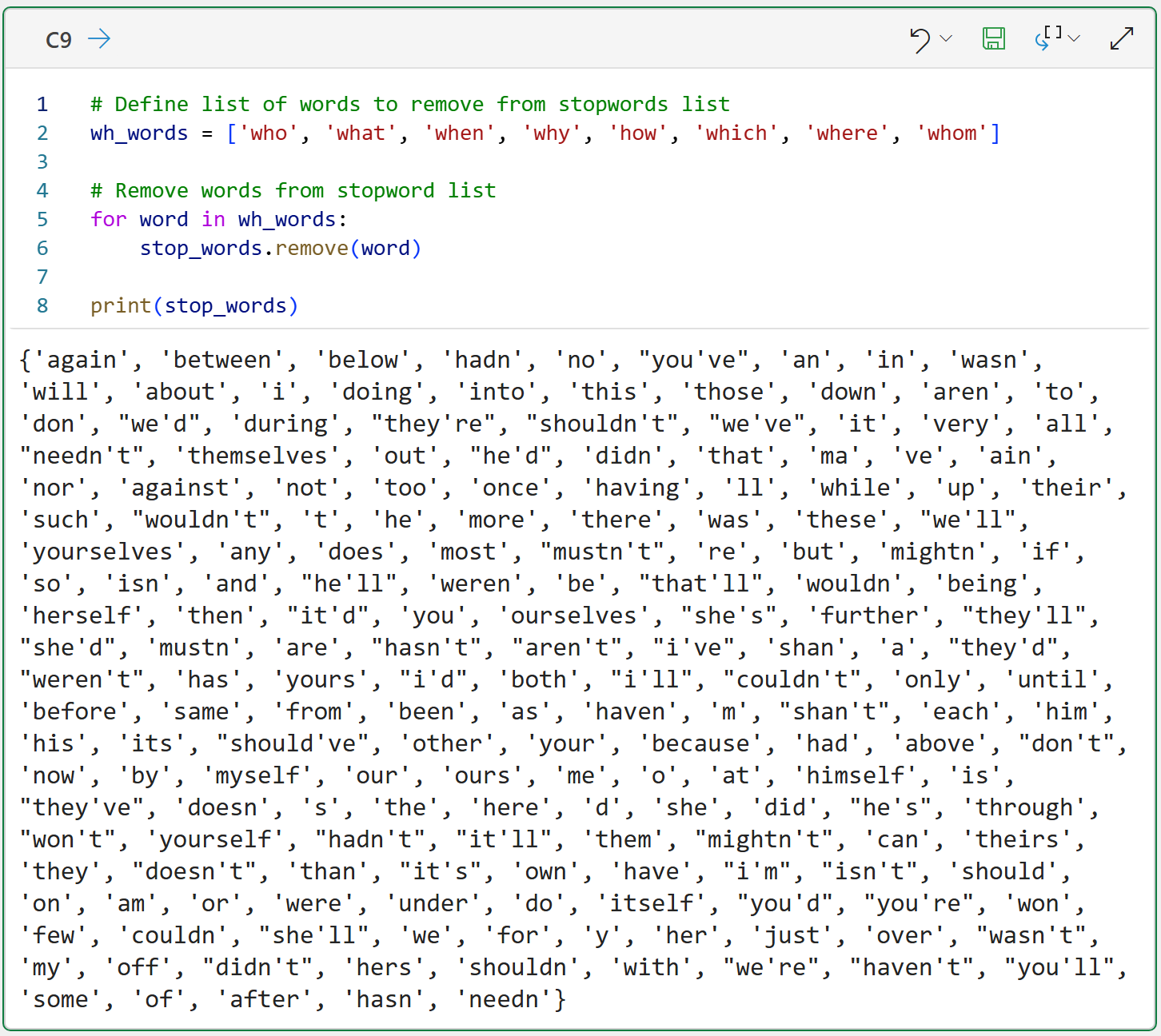
As demonstrated by the code in cell C9, the process simply involves creating a list of words you want to remove from the stopwords list and then removing each of the words.
Adding words to the stopwords list is even easier:
Lastly, integrating stopword removal into the text preprocessing pipeline:
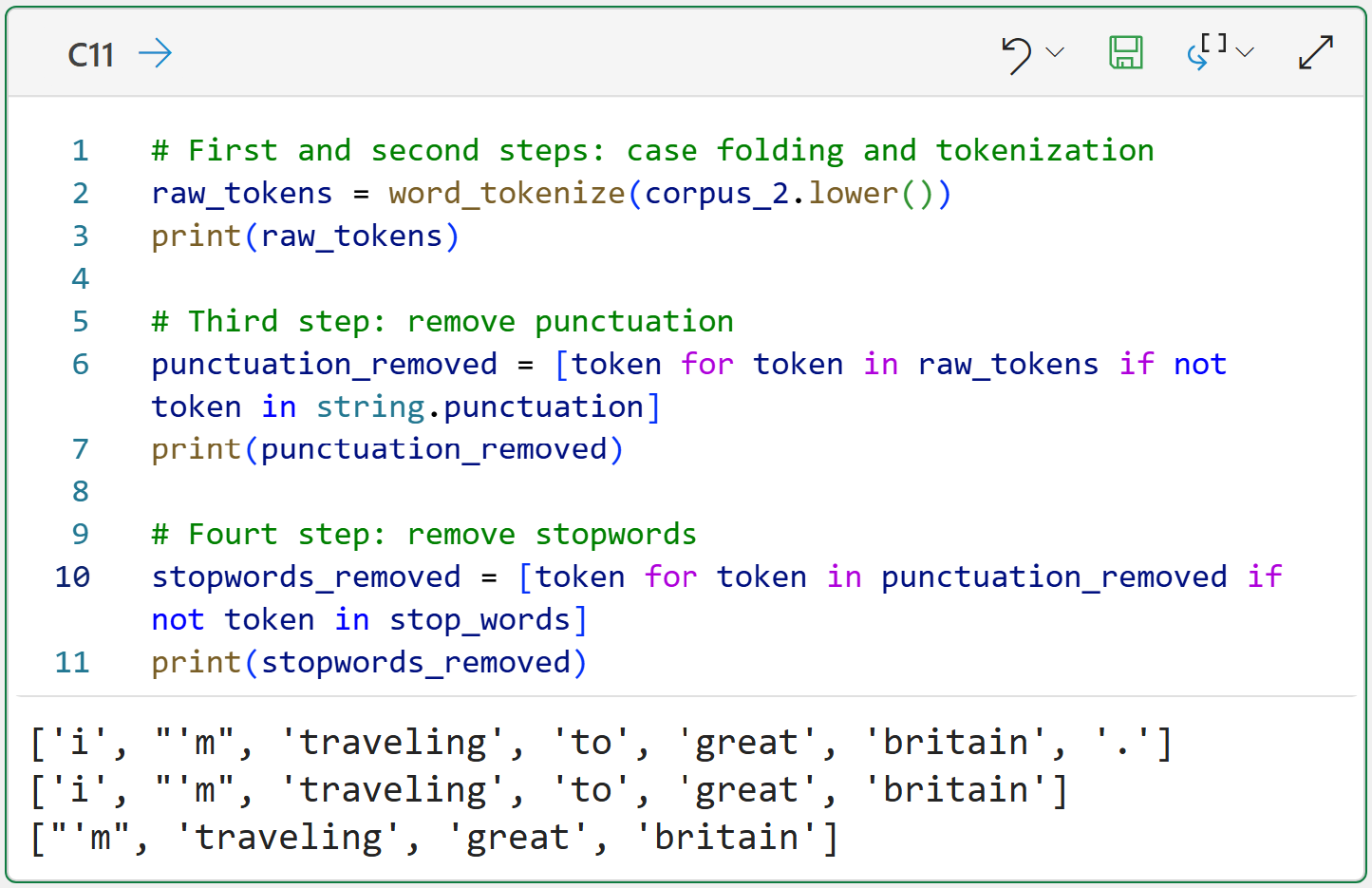
These four steps are part of every text preprocessing pipeline, but there's more that you can do to improve the quality of your tokens.
For example, combining single tokens to create larger tokens.
N-Grams
So far, you've seen how the NLTK makes generating tokens fairly easy. Make no mistake, the NLTK is hiding a lot of smarts behind the scenes, so you're standing on the shoulders of giants when you use the NLTK to mine your text data.
Also, you've seen so far how the NLTK generates single tokens from text. You can also use the NLTK to create combinations of tokens, and these are known as n-grams. For example, what you've seen so far are called unigrams or 1-grams.
You can also create more complex n-grams. The following Python formula incorporates n-grams into the text preprocessing pipeline. Specifically, generating two-way combinations of single tokens, which are called bigrams or 2-grams:
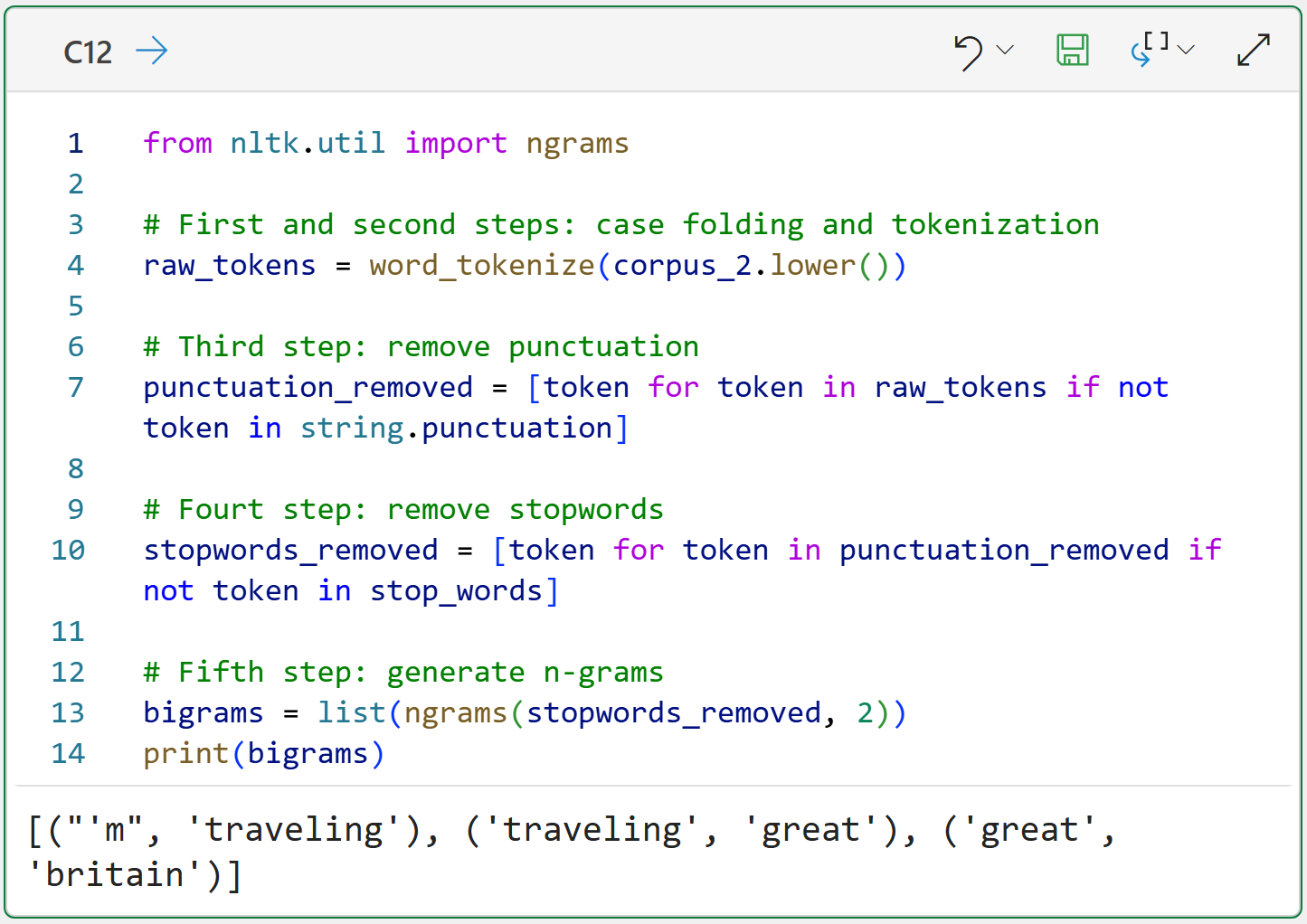
The above code shows the list of bigrams created using the NLTK's ngrams() function. This function returns an object type that isn't super useful, so I commonly cast it to be a Python list for ease of coding.
The returned list of bigrams is a list of Python tuples, containing every possible two-way combination of unigrams. As you will see in a later tutorial, each of these bigrams becomes a unique entry in the vocabulary.
Notice that the bigram great britain adds a token embodying the idea of the country (i.e., a proper noun), thereby potentially adding information to the vocabulary compared to just using unigrams.
Like case folding, n-grams are not a perfect solution. However, they perform remarkably well in many real-world text-mining scenarios. So, you should definitely experiment with them in your projects to see if they improve your results.
In theory, there's no limit to the complexity of n-grams you can create. Here are trigrams:
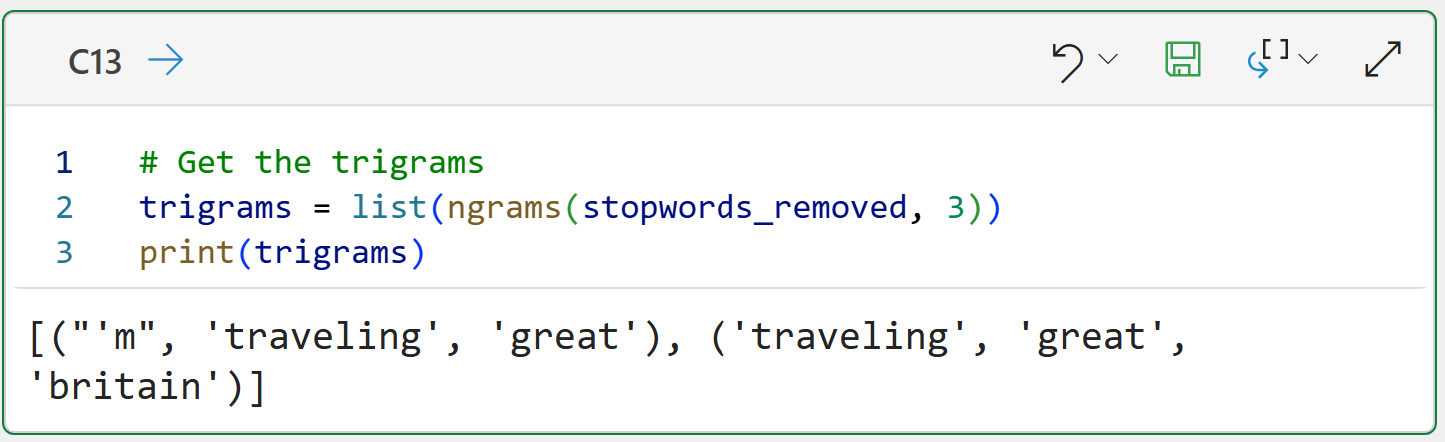
The above code demonstrates the patterns you can use to create 4-grams, 5-grams, 6-grams, etc.
However, there's a tradeoff. As your n-grams get larger, you can think of them as becoming more and more rare. In practice, this means there are diminishing returns for larger n-grams. In my experience, I've rarely needed anything beyond trigrams, and usually bigrams are enough.
So, to summarize what you've learned so far in this tutorial series, here are the steps of your text preprocessing pipeline:
Case folding
Tokenization
Punctuation removal
Stopword removal
Generating n-grams
This Week’s Book
If you're interested in learning more techniques for mining your text data using Python, this is a book that might be useful to you:
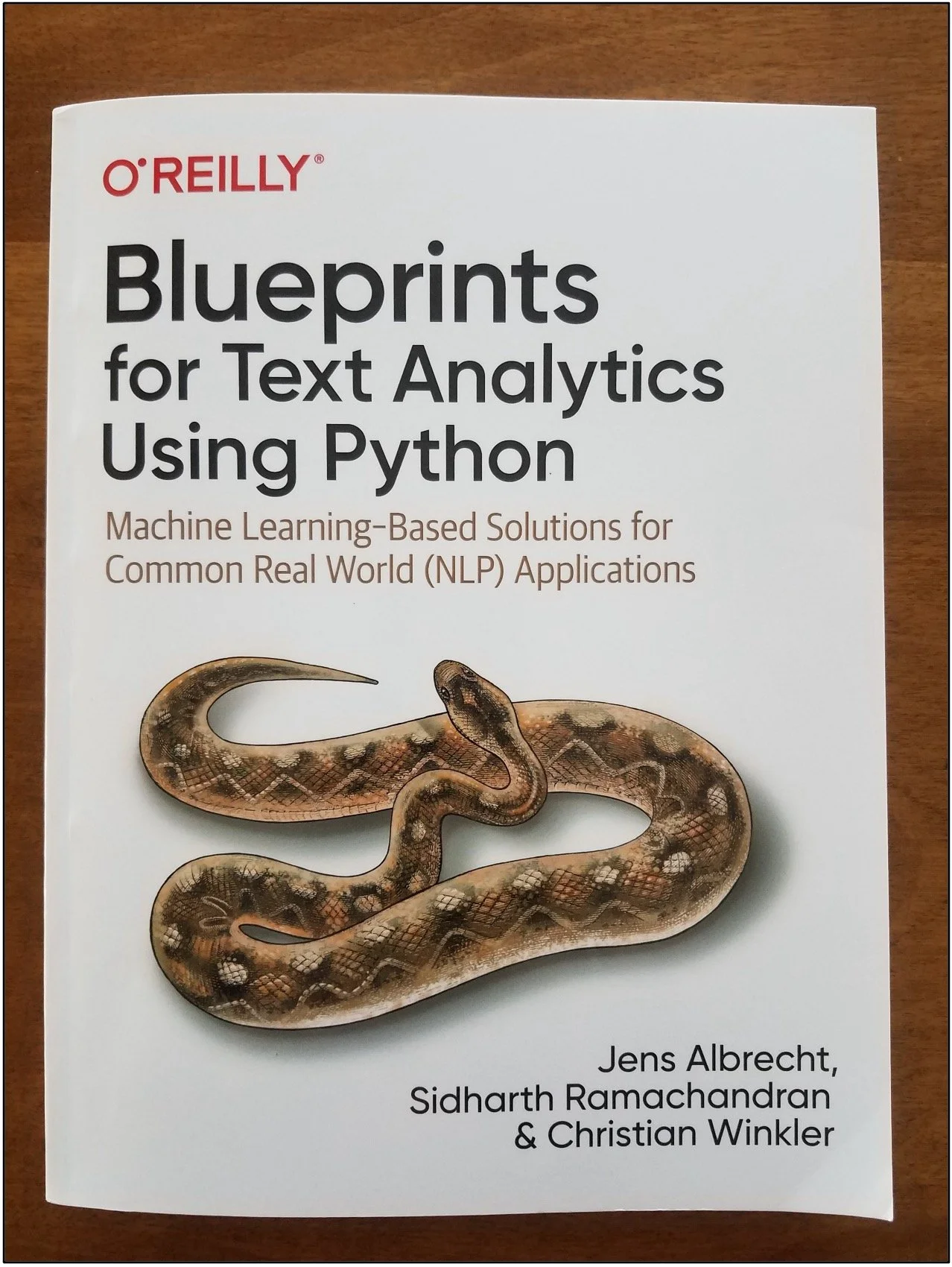
Think of this book as more of a cookbook of techniques rather than reading the book cover-to-cover.
That's it for this week.
Next week's newsletter covers the next stage of text mining - converting your tokens into the bag-of-words (BoW) model.
Stay healthy and happy data sleuthing!

Dave Langer
Whenever you're ready, here are 3 ways I can help you:
1 - The future of Microsoft Excel forecasting is unleashing the power of machine learning using Python in Excel. Do you want to be part of the future? Order my book on Amazon.
2 - Are you new to data analysis? My Visual Analysis with Python online course will teach you the fundamentals you need - fast. No complex math required, and Copilot in Excel AI prompts are included!
3 - Cluster Analysis with Python: Most of the world's data is unlabeled and can't be used for predictive models. This is where my self-paced online course teaches you how to extract insights from your unlabeled data. Copilot in Excel AI prompts are included!